
Review Management Software for PawnMate users
Auto-send review requests when appointments complete in PawnMate. Track which vets get the most 5-star reviews without asking pet owners to name-drop.
They love how easy we've made it






Auto review requests after PawnMate appointments
Review requests send automatically when you mark appointments complete in PawnMate, whether it's a routine wellness exam, dental cleaning, or surgical follow-up. The system triggers instantly via email, SMS, or WhatsApp without any manual work from your staff. Set your preferences once and every completed visit generates a review request. Your front desk stays focused on scheduling and patient care while Reviewflowz handles reputation building. Across our veterinary customers, this automated approach achieves a 7.5% average conversion rate because timing matters more than perfect messaging when asking satisfied pet owners for reviews.

Identify your best pet owner advocates in PawnMate
When pet owners leave 5-star reviews, that positive feedback syncs directly back to their patient records in PawnMate. Your team instantly knows which clients are your biggest supporters without checking multiple review sites. Use this data strategically during future visits. Ask your happiest clients to refer friends with new puppies, request video testimonials about their senior dog's treatment, or invite them to share their experience on your website. This targeted approach works because you're only asking clients who've already publicly endorsed your care, making them more likely to provide additional advocacy.

See what is actually moving your rating
Connect one location and look at your own data. About five minutes, and your review history comes with it.
Track reviews per veterinarian without name mentions
Most clinics ask pet owners to mention their veterinarian by name, but Google often flags those reviews as coached or fake. Reviewflowz takes appointment data directly from PawnMate to automatically attribute reviews to the correct vet or technician without requiring name drops. When Dr. Smith completes a surgery or when Sarah assists with vaccinations, those reviews get credited to them behind the scenes. Your reviews read naturally, avoid Google's removal algorithms, and you still get detailed performance data for each team member. This attribution happens for every review across all 200+ platforms we monitor.
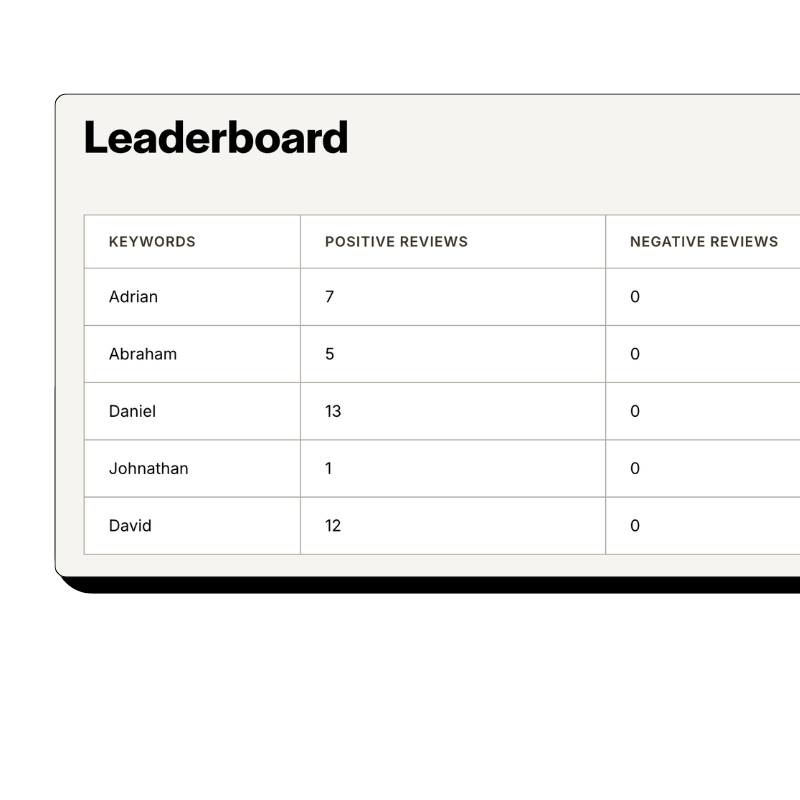
Calculate review conversion rate per patient visit
Raw review counts mislead veterinary practices about their actual performance. A clinic with 200 reviews from 4,000 patient visits has a weak 5% conversion rate, while a competitor with 80 reviews from 800 visits achieves a strong 10% rate. Because Reviewflowz connects to PawnMate's appointment data, you see the real metric that matters. Track conversion rates by individual veterinarian, service type, or time period. Identify which vets naturally inspire reviews and coach others to improve. Most practices discover their conversion rates vary dramatically by service, with wellness exams typically outperforming sick visits for obvious reasons.
AI auto-replies to veterinary reviews on all platforms
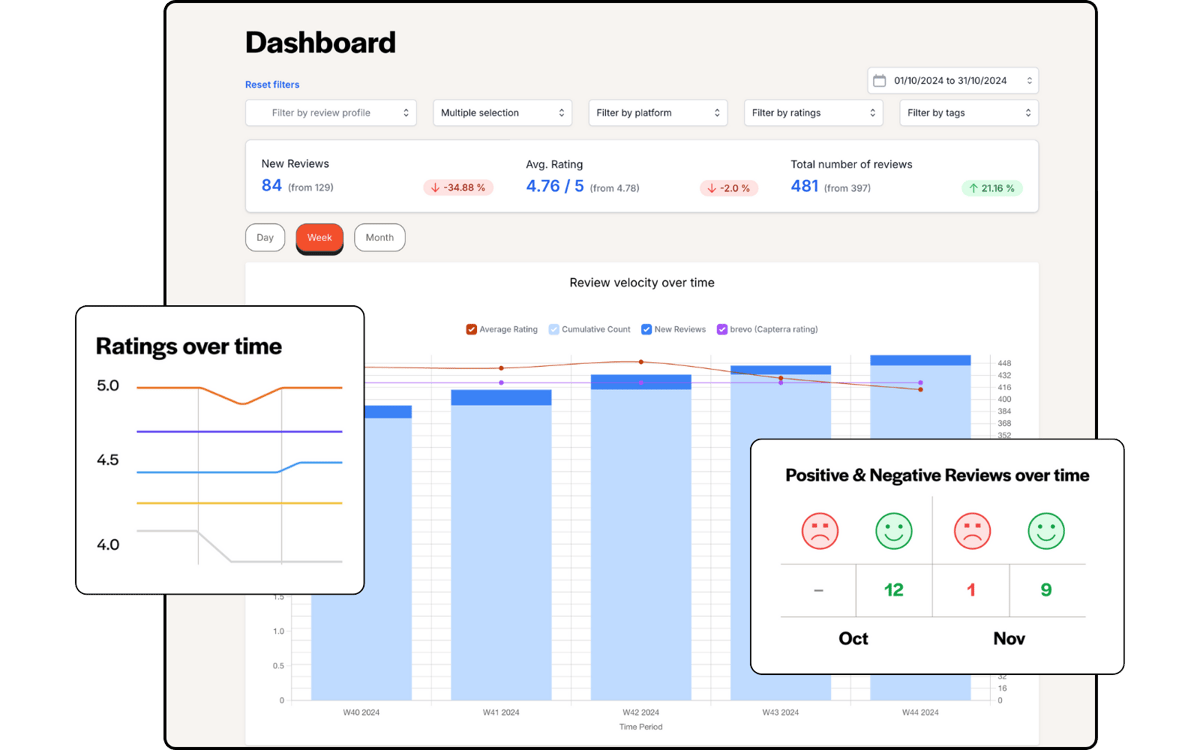
Every review gets a personalized reply across Google, Yelp, Facebook, and 200+ other platforms using AI trained on veterinary language and scenarios. The system understands the difference between wellness visit reviews, surgical testimonials, and emergency care feedback, crafting appropriate responses for each situation. Replies help your local search ranking and show potential clients that you care about feedback. You can approve replies before they publish or let them go live automatically based on your comfort level. This consistent engagement builds trust with pet owners who read your responses before choosing your clinic for their animals.

Start replying today
Your review history imports the moment you connect, so there is something to reply to from the first minute.
FAQs
Which review platforms matter most for PawnMate veterinary practices?
Google Reviews are critical since they appear in local search results when pet owners search for veterinarians, but Yelp, Facebook, and Nextdoor equally important for veterinary practices. These platforms capture different patient demographics and search behaviors. Nextdoor particularly valuable for neighborhood recommendations about trusted animal care. According to BrightLocal Local Consumer Review Survey, 2024, 98% of consumers read online reviews and 87% used Google to evaluate local businesses. Reviewflowz monitors all major platforms plus 200+ specialized sites from one dashboard, ensuring your PawnMate appointment data triggers review requests across every channel that matters for veterinary reputation management.
How do I track review performance for my PawnMate veterinary practice?
Review conversion rate is the only metric that matters for veterinary practices, calculated as reviews received divided by patient visits completed. A practice with 50 reviews from 500 appointments has a strong 10% conversion rate, while one with 200 reviews from 4,000 visits only achieves 5%. Reviewflowz pulls appointment data directly from PawnMate to calculate accurate conversion rates by veterinarian, service type, and time period. You can see which vets inspire the most reviews and identify services that naturally generate positive feedback. This data helps optimize review collection strategies and staff coaching for better reputation management.
How does automated review requesting work with PawnMate?
When you mark any appointment as complete in PawnMate, whether it's a wellness exam, surgery, or vaccination visit, Reviewflowz automatically sends a review request to that pet owner. Choose your preferred communication method during setup: email, SMS, or WhatsApp. The system uses PawnMate's appointment completion trigger to ensure perfect timing when pet owners feel most satisfied with your care. No manual work required from your staff once configured. Across Reviewflowz customers, this automated approach achieves a 7.5% average conversion rate because requests go out at the optimal moment after positive experiences.
Can PawnMate users send review requests through WhatsApp?
Yes, Reviewflowz supports WhatsApp review requests triggered directly from PawnMate appointment completions. WhatsApp delivers superior results with 98% open rates compared to 20% for email, making it particularly effective for reaching pet owners who prefer mobile communication. The same automation applies: when appointments complete in PawnMate, review requests send via WhatsApp without manual intervention. Pricing varies by country on a pay-as-you-go basis with no monthly minimums. Many veterinary practices find WhatsApp especially effective for younger pet owners and clients who primarily communicate via mobile messaging apps rather than traditional email.
How does staff review attribution work with PawnMate data?
Reviewflowz automatically attributes reviews to the correct veterinarian or technician using appointment data from PawnMate, eliminating the need for pet owners to mention names in reviews. When Dr. Johnson performs a surgery or when Lisa handles vaccinations, their reviews get credited automatically when pet owners respond to review requests. This approach avoids Google's tendency to flag reviews that mention specific staff names as potentially coached. You get detailed per-staff performance data for coaching and recognition while your reviews read naturally and avoid removal. Attribution works across all 200+ review platforms we monitor.
How quickly can I connect Reviewflowz to my PawnMate system?
PawnMate integration with Reviewflowz takes under 15 minutes with no developer or technical support needed. Simply authorize the connection between systems, select your trigger event (appointment completion), choose your preferred communication channel (email, SMS, or WhatsApp), and customize your review request message. Your first automated review request goes out the same day you finish setup. The connection syncs appointment data in real-time, so every completed visit in PawnMate immediately triggers the appropriate review request to that pet owner. No ongoing maintenance or technical management required once configured.
What do PawnMate review requests cost per appointment?
Email review requests cost $5 per 1,000 emails and SMS requests cost $5 per 100 SMS on a pay-as-you-go basis with no monthly fees or contracts. For most veterinary practices, this translates to pennies per review collected. WhatsApp pricing varies by country using the same pay-as-you-go model. With Reviewflowz customers averaging 7.5% conversion rates, a practice sending 1,000 email requests typically receives 75 reviews for $5 in messaging costs. No minimum spend requirements mean you only pay for actual review requests sent when PawnMate appointments complete, making it cost-effective for practices of any size.