



Ana knew every alley in the old town.
— Grace Liu
The Reviewflowz connector for Looker Studio brings your reviews and your ratings history into your reports. Every review platform you track arrives in one data source, so you can chart all your reviews together. It is included with Premium.
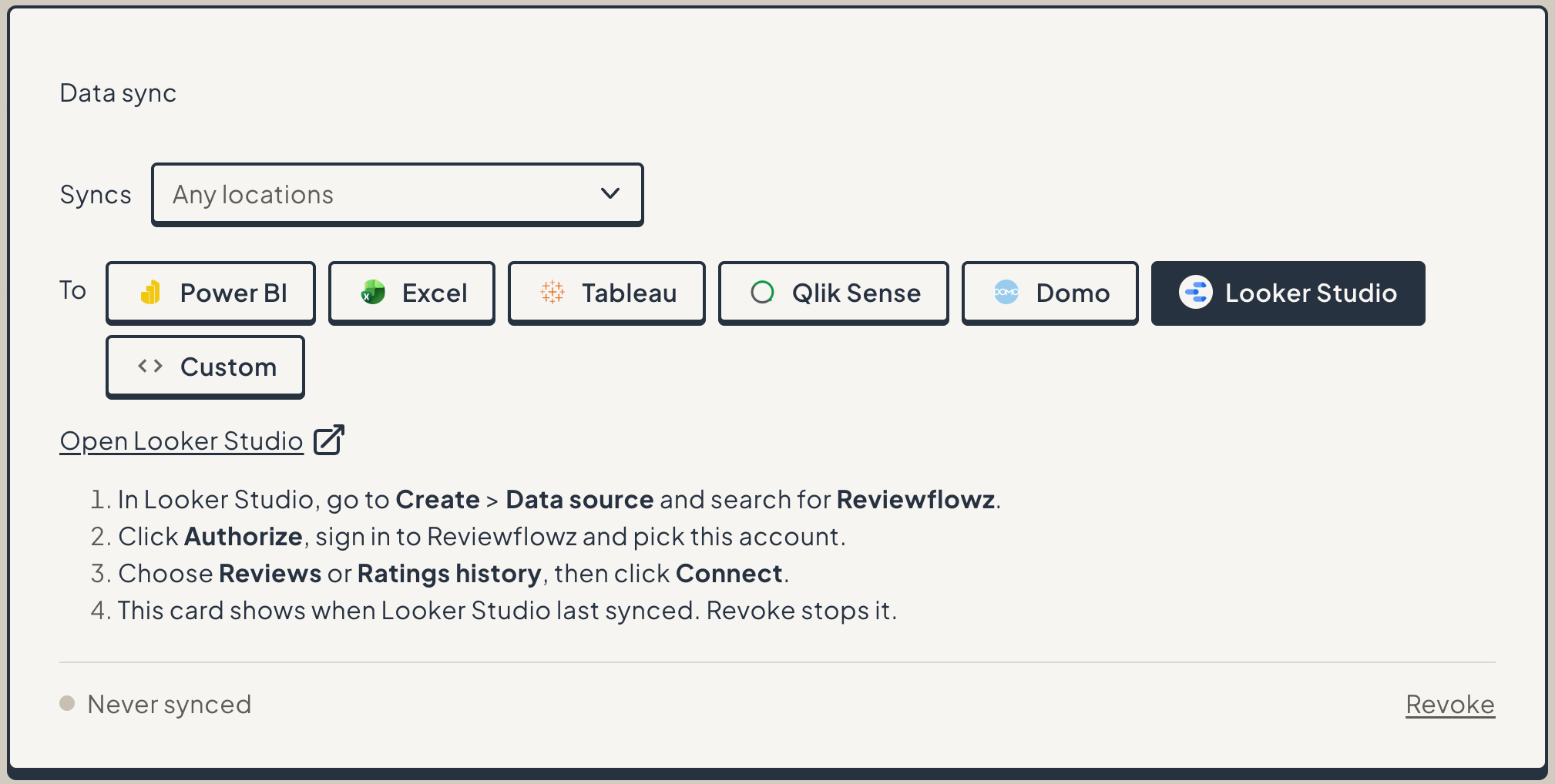
Reviewflowz has its own community connector for Looker Studio. You sign in with Reviewflowz, so there is no token to copy and paste.
The Data Sync card also shows when Looker Studio last synced.
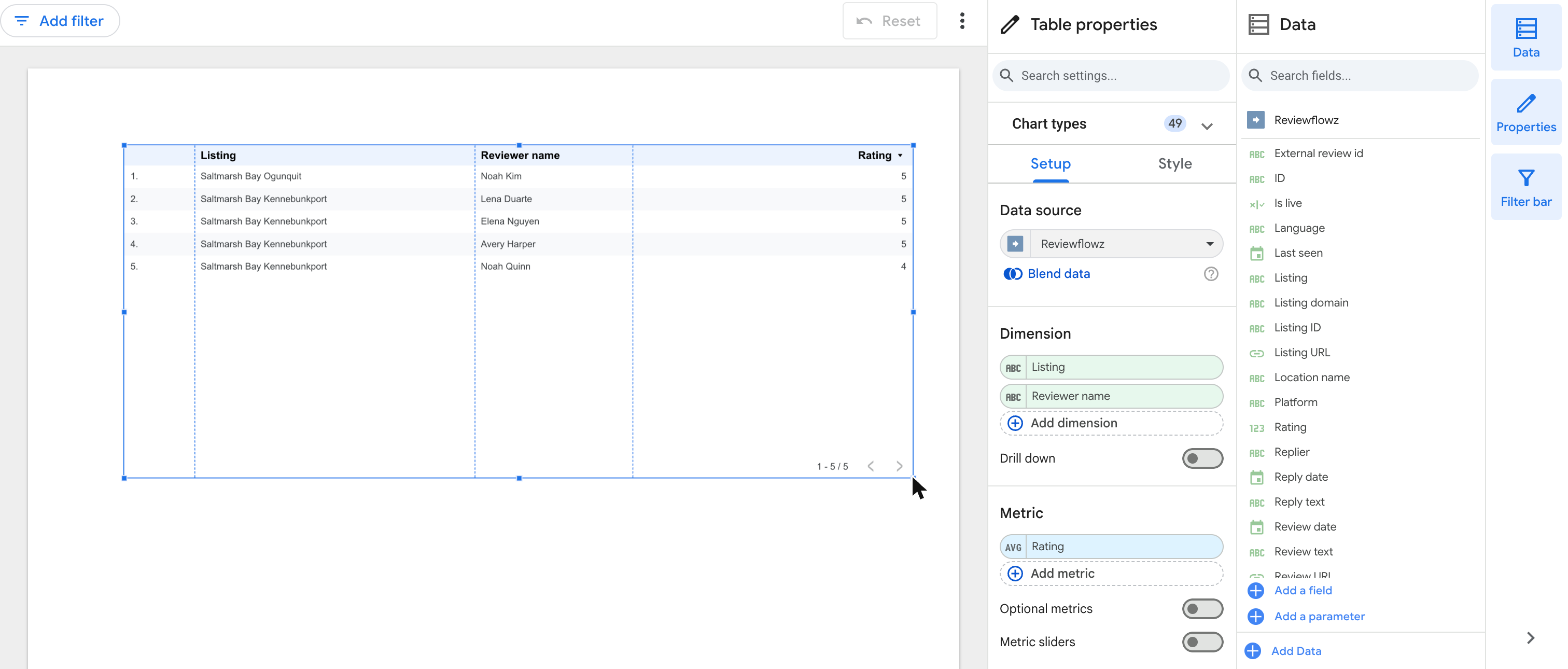
Reviews has one row per review. Removed reviews are not included. Ratings history has the rating and review count each platform showed, per listing per day.
14 day free trial with most features unlocked
Looker Studio asks for a date range, and Reviewflowz applies it on its side, so only that range loads. If a range holds more reviews than Looker Studio can load in one go, pick a shorter date range or split the report by listing.
On the Data Sync card, the Syncs picker limits the data to the locations or listings you choose. Revoke cuts Looker Studio off immediately.
The connector needs a plan with API access: Premium or Enterprise. There is no separate fee for the connector.
Read how we handle your data in our Privacy Policy and our Terms of Service.

You need a Reviewflowz plan with API access: Premium or Enterprise. There is no separate fee for the connector.
In Reviewflowz, go to Integrations, then Data Sync, click + Add a new data sync and pick Looker Studio. Click Open Looker Studio, then click Authorize, sign in to Reviewflowz and pick the account. Choose Reviews or Ratings history and click Connect.
Two data sources. Reviews has one row per review, from every platform you track. Ratings history has the rating and review count each platform showed, per listing per day.
Yes. Looker Studio asks for a date range and Reviewflowz applies it on its side, so only that range loads. The Syncs picker on the Data Sync card limits the data to the locations or listings you choose.
Click Revoke on the Data Sync card. Looker Studio loses access immediately. If a report says your Reviewflowz sign in has expired or was revoked, edit the data source and reconnect.
No. You sign in on the Reviewflowz consent screen. If you have several Reviewflowz accounts, you pick which one to share.
Read how we handle your data in our Privacy Policy and our Terms of Service.