
Top 6 Appbot Alternatives
 By Axel
I'm Axel. I founded Reviewflowz, which competes with Appbot for the same app teams, so read this ranking knowing my own tool sits at the top. Every price and term below is what each vendor publishes on its pricing page, in its terms or in its help center.
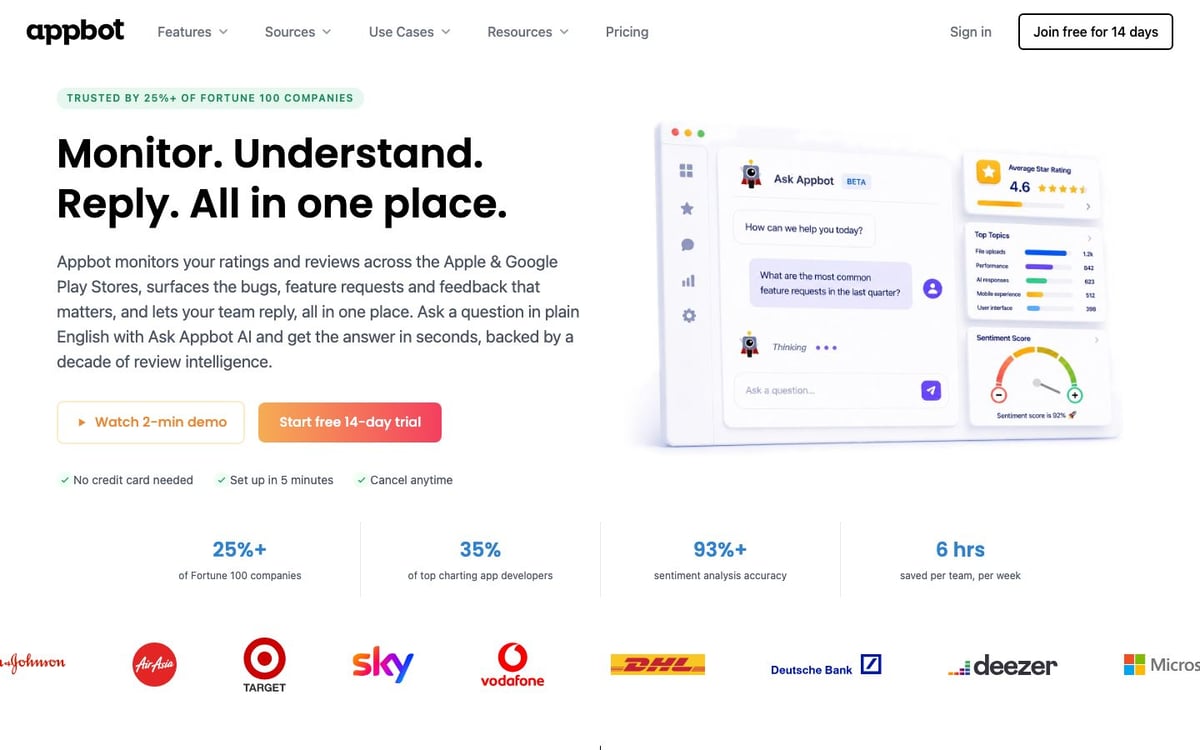
Appbot has done app reviews and nothing else since 2011, out of Perth. Product, support and engineering teams use it to track App Store and Google Play reviews, read sentiment and topics, benchmark competitors and, on the Large plan, answer with AI from Appbot, Slack or their helpdesk.
It's self-serve, and you leave from inside the app any time. Stay with Appbot if your users only review you on those two stores, if the $49 entry plan does the job, or if your support team relies on its canned replies and Salesforce cases. This list is for app teams that need more.
What makes a great Appbot alternative
Appbot's terms aren't the issue: it bills monthly, asks for no notice and lets you cancel in the app. The reasons app teams look elsewhere are in the product, and this is what a better fit does.
- Replies written from your team's own. Appbot's AI builds each reply from the review's rating, sentiment and topics, plus up to 500 characters of instructions you add to its prompt. A great alternative drafts every store reply from the replies your team has already published, hand-written ones included, and lets your own rules decide which drafts post unattended.
- Sentiment on each sentence, by your own topics. Appbot gives a review one sentiment, so praise for the design and a complaint about the login end up as one Mixed label. Its topics are generic themes shared across all apps, plus custom ones built from keywords you pick. A great alternative builds the topics from your reviews and scores each sentence on the topic it mentions.
- Every store and site your users review you on. Appbot reads mobile app stores only, and its changelog says it will stay focused on mobile app reviews, so a Trustpilot page means a second tool. A great alternative puts Trustpilot, Huawei AppGallery, G2 or Capterra in the same feed as both stores, and adds a missing one when you ask.
- A direct line to the people who build it. Every Appbot plan gets email support only, with a target of one business day on Perth time, and no plan comes with an account manager. A great alternative answers on chat as well as email, and the people who answer can change the product.
The 6 best Appbot alternatives at a glance
| Tool | Best for | Starting price | Contract | Standout |
|---|---|---|---|---|
| Reviewflowz | Teams with many apps and stores who want AI to answer every review | $35 a review profile a month, billed yearly | Monthly or yearly, leave in the app with no notice | Drafts from your published replies, sentiment on each sentence |
| AppFollow | Publishers who want a review inbox and ASO from one vendor | Free plan for two sources, Essential $129 a month billed yearly | Renews unless you give 30 or 60 days' written notice | Replies on six sites, Steam included |
| AppTweak | Growth teams already running ASO in AppTweak | Small, $83 a month on yearly billing, 500 replies | Monthly or yearly, cancel from Manage Subscription | Up to three AI reply suggestions per review, in different tones |
| Appfigures | Solo developers who want revenue and reviews in one dashboard | Free Starter plan, replies from $7.99 a month paid annually | Monthly or annual, never locked in | Sales data next to every review |
| App Radar | ASO teams that edit listings often and reply in small numbers | €58 a month if you pay yearly | Monthly or yearly, ends at the next billing date | Publishes store listings without the consoles |
| MobileAction | Apple Ads and ASO teams | $59 a month if you pay yearly | Monthly or yearly, cancel under Billing | Drafts tuned with up to five example replies per app |
The 6 best Appbot alternatives
#1 Reviewflowz
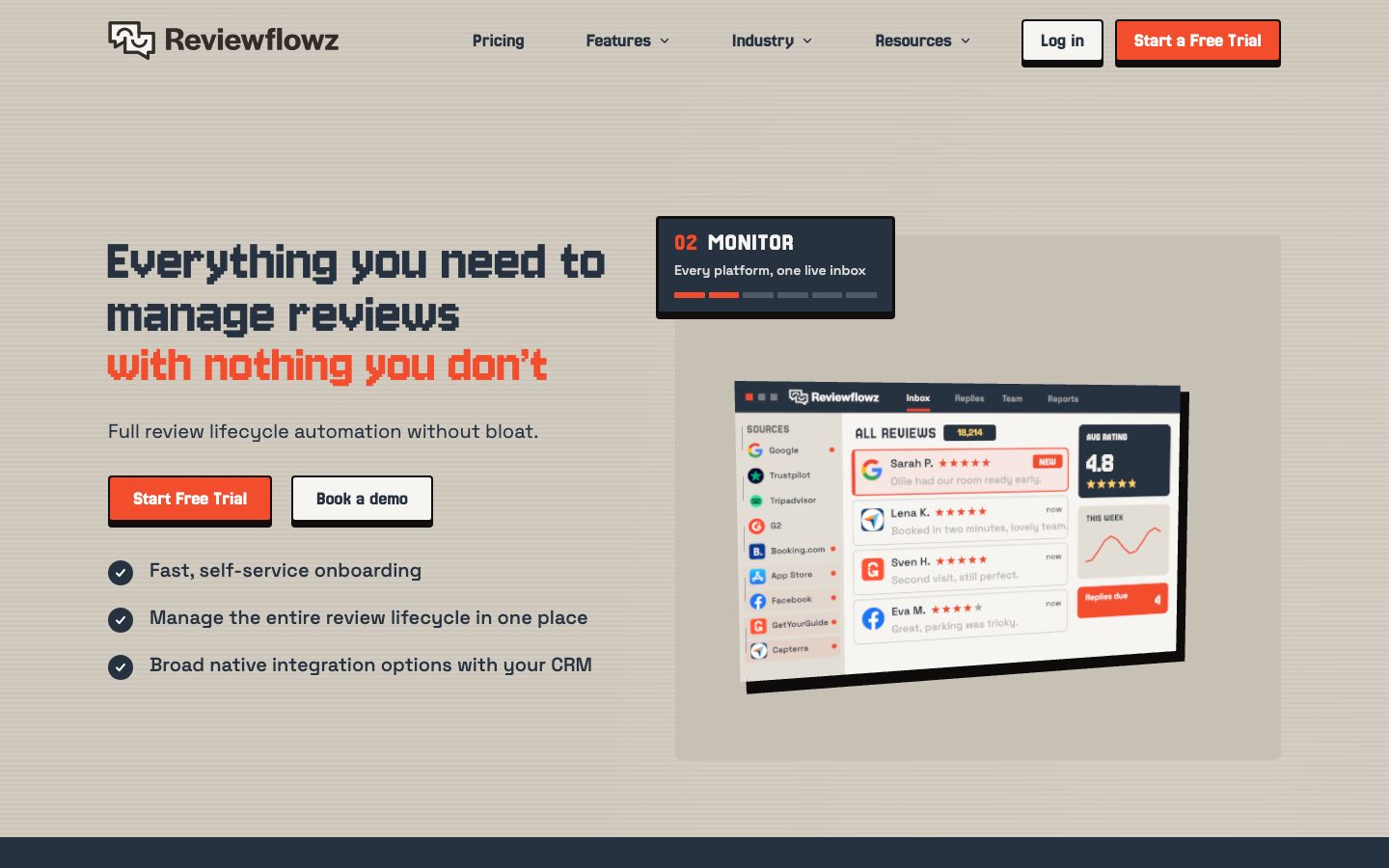
I'm biased, obviously, but for an app team that has outgrown Appbot I think Reviewflowz is the strongest option. Reviews are all it does: gathering them, answering them and reporting on them, across your apps, both stores and Trustpilot.
Reviewflowz or Appbot?
Appbot's AI answers from a review's rating, sentiment and topics plus a short prompt, from the Large plan up, and labels a review that praises one thing and faults another as Mixed. Reviewflowz drafts each store reply from the ones your team already posted, scores every sentence against topics built from your reviews, and adds any store or site you need within two weeks.
Each AI reply starts from the replies your team has already put out, including the ones typed by hand before you had any tool. Rules by star rating, platform or keyword decide which drafts publish unattended and which wait for a person, and you can backtest an agent on past reviews before it answers a live one.
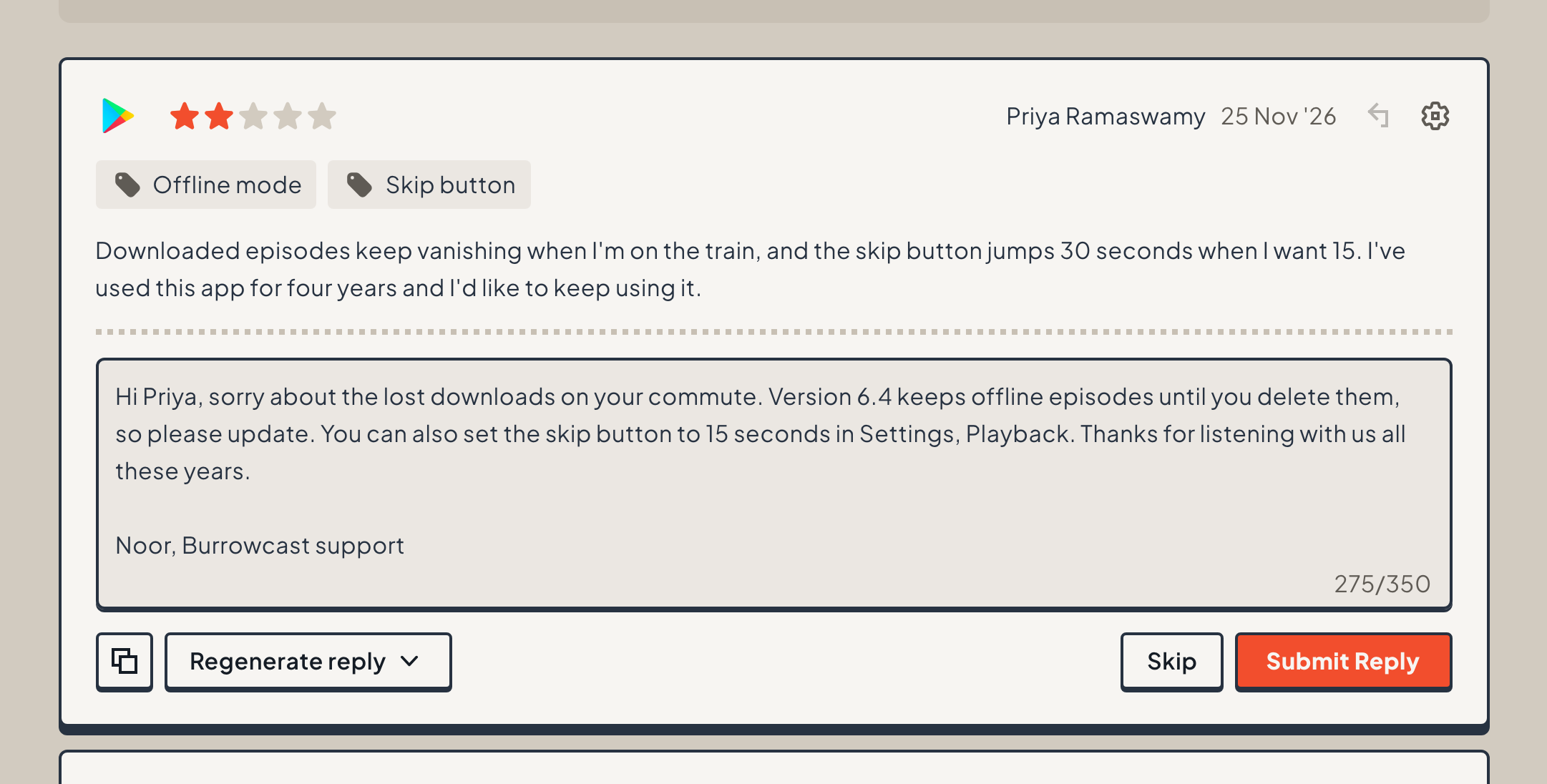
Replies then go out to the App Store, Google Play and Trustpilot in each reviewer's language, and AI replies come with the plan Reviewflowz sells to app teams, so nobody upgrades before answering from the tool. A one-star review can also go to Zendesk, Slack or Microsoft Teams with its topic and sentiment, and your team answers it from there.
Your topic list is built from your own reviews, so complaints about a skip button get a line of their own instead of disappearing into a generic bucket. Sentiment is scored sentence by sentence, so a single review can come out positive on design and negative on login.
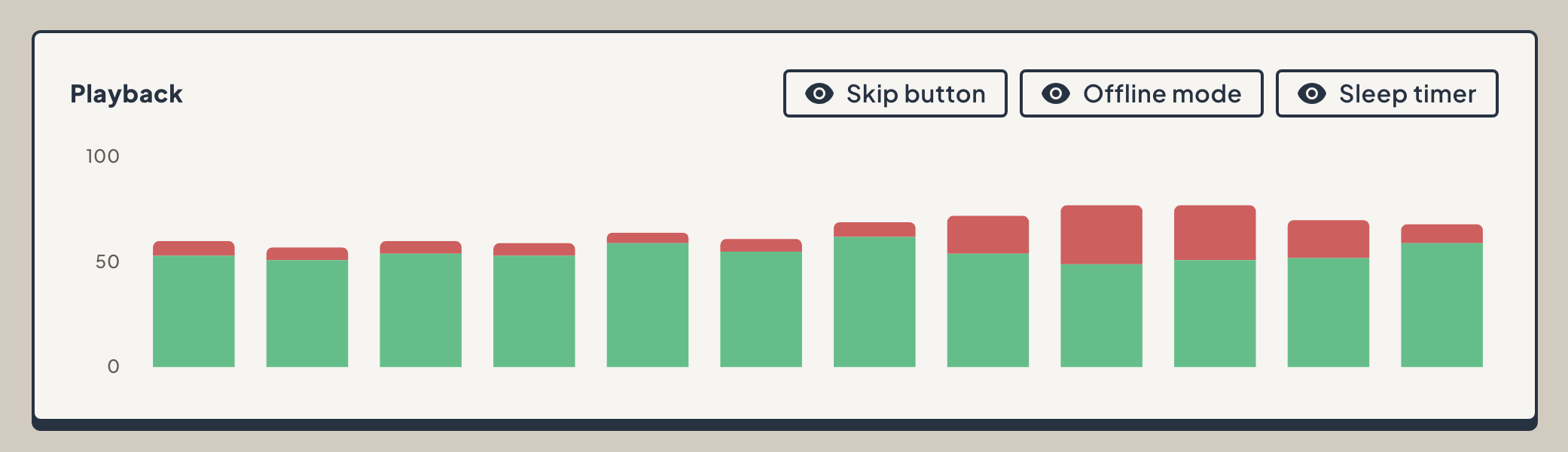
Store replies drafted from your team's own
AI drafts from the replies your team already published, sentiment on each sentence, and the App Store, Google Play and Trustpilot in one feed.
App Store, Google Play and Trustpilot reviews arrive in one feed, translated and tagged. Huawei AppGallery, the Chrome Web Store, Product Hunt, G2 and Capterra can join it, and when your users review you on a store Reviewflowz doesn't read yet, the people who build it add that store within two weeks.
Reviewflowz is founder-run and bootstrapped, with no account rep between you and the product. When you write to support, on chat or email, 24/7, you reach the people who build it.
You pay monthly or yearly. Upgrading, downgrading or leaving altogether happens in the app, and no notice period applies.
The price is $35 a review profile a month, billed yearly, and it drops per profile as you add more. AI replies and sentiment analysis are included, there's no charge per reply, and up to 10 users come with it.
Who it's for: Teams running several apps across both stores and Trustpilot, whose review count is high enough that they want AI replying to each one.
#2 AppFollow

AppFollow is a review inbox for mobile app and game publishers, with ASO keyword tools beside it. Customers buy it to answer store reviews from one place, plus ASO, and its features are the praise theme in 15 of its 17 positive reviews from the last two years.
Reviewflowz or AppFollow?
AppFollow's AI follows a reply style set with selectors, and its Zendesk app connects store reviews only. Reviewflowz drafts from the replies your team already posted, opens a ticket in Zendesk, Intercom, Freshdesk, Front or Help Scout for every App Store, Google Play and Trustpilot review, and scores each topic in a review on its own.
For an Appbot team, its biggest plus is reach. AppFollow posts replies on the App Store, Google Play, Trustpilot, Huawei, Samsung and Steam, so a consumer app or a game studio answers far more than two stores from one inbox.
Its automation agents post AI replies by rating and keyword, automated replies are unlimited on every plan, and it has reply templates and a Zendesk app where an edited review updates the ticket.
The trade-offs: Essential allows 500 manual replies a month, sentiment is one score per review, and AI topics only arrive from the Team plan up. More sources, more manual replies, API credits, SSO and AI analysis cost extra, as add-ons.
The free plan covers two sources. Essential, with five sources, lists at $129 a month on yearly billing or $179 month to month, and its 10 day trial asks for no card. Team and Enterprise go through sales.
Its terms renew a plan automatically, and leaving takes written notice: 30 days before the end of a monthly plan, 60 before a yearly one.
Who it's for: App and game publishers who answer reviews on more stores than Apple's and Google's, and want ASO tools from the same vendor.
Test Reviewflowz on your own app's reviews
Free for 14 days with no credit card, and Appbot keeps running while you compare.
#3 AppTweak
AppTweak sells to app marketers, user acquisition managers and mobile growth teams. Most of the platform is ASO, Apple Ads campaigns and market intelligence, and the App Reviews Manager is a separate product you can buy on its own.
What it does well: App Store and Google Play reviews share one inbox, and the AI offers up to three reply suggestions per review, each in a different tone, in any language. Templates and bulk replies are there too.
Its Template Shuffler is a neat idea: it deals several templates out at random across a batch, so the replies in that batch vary. You can also tag and translate reviews, and answer them from Slack or Zendesk.
The catch for an Appbot team is volume. Each self-serve plan comes with a reply quota (Small 500 a month, Medium 1,500, Large 5,000), and the Reviews Agent, rule-based reply automation, and topic and sentiment analysis are Enterprise features with custom pricing.
Small costs $99 a month, or $83 a month on yearly billing ($990 up front), for unlimited apps and five seats. The free trial lasts 7 days and asks for billing details first, then charges the card if you haven't cancelled.
Cancelling is a button under Manage Subscription in account settings, and access runs to the end of the period you paid for.
Who it's for: ASO and growth teams that already live in AppTweak for keywords and store data, and send a predictable number of replies each month.
#4 Appfigures
Appfigures starts from your numbers: downloads, revenue, subscriptions, ad spend and payouts across every app you publish, plus keyword tools and intelligence on other people's apps. Reviews are one module in that.
The reviews side puts your apps and your competitors' in a single report, translates them automatically, searches their full text, sends alerts by email and Slack, and lets the team share reply templates. Five users are included on every plan, at no extra charge.
The limit: a person types every reply, with templates to help, and neither the pricing page nor the help article on replying mentions AI-written or automatic replies.
There's a free Starter plan. Replying starts on Connect, at $7.99 a month paid annually or $9.99 monthly, with 150 replies, and Monitor makes them unlimited for $35.99 a month paid annually, or $44.99 monthly. The trial asks for no card, and Appfigures promises no long-term lock-in.
Who it's for: Solo developers and small studios that want revenue and reviews in the same dashboard and don't mind answering by hand.
#5 App Radar
App Radar belongs to SplitMetrics and is ASO software at heart: keyword and competitor research, ratings and reviews, and a listing editor that publishes your store pages to Google and Apple straight from the tool, so nobody has to open the consoles.
If your team rewrites listings and answers reviews, having both in one place is the draw. Reviews come with smart filters, custom tags, reply templates, auto-translation, alerts in Slack and by email, and AI reply suggestions.
Reply volumes are capped, though. Essentials allows 50 replies a month, Growth 150 and Scale 300, with AI reply suggestions at 5, 100 and 200. Anything beyond that is a review replies add-on, from €39, which you buy through sales.
App Radar prices in euros. Essentials runs €69 a month, or €58 a month on a yearly plan (€690), with two apps and a single seat. Its 7 day trial needs a card and becomes a paid subscription unless you cancel, and a cancellation ends the plan at the next billing date.
Who it's for: ASO teams that edit listings constantly and answer reviews in small numbers.
#6 MobileAction
MobileAction is an Apple Ads and ASO company first, selling campaign management, search ads intelligence and keyword research. Its review features live in the ASO Intelligence plans: review analysis and an AI Review Reply tool.
For replies, you connect App Store Connect or Google Play Console, narrow the list by country, rating, keyword or language, and choose a tone from five. Drafts come out in whatever language the reviewer used, and you set the voice with up to five example reviews and your replies to them, per app.
The limit: it drafts for the one review you select, and its help pages mention no auto-replies, no reply rules and no helpdesk tickets.
AI reply generation and review sentiment analysis start on Basic: $69 a month, or $59 a month paid yearly, covering eight apps and one seat. Starting the 7 day trial means entering billing details. To cancel, go to Billing, then My Plans, and the plan runs to the end of the period.
Who it's for: Apple Ads and ASO teams that answer a handful of reviews themselves and want an AI first draft.