
8 Best Review Management Software for Home Inspectors
 By Axel

Home inspectors are reviewed on Google first, then on Yelp, Facebook and the BBB. The review is earned at the walk-through and in the inspection report, so the ask should leave from the software that delivers the report. Agents read those reviews before they refer, and Spectora's industry report finds that they send nearly 8 in 10 inspections.
This post covers three kinds of review software for home inspectors. First, review request tools that work beside your inspection software: Reviewflowz, NiceJob, Blipp Reviews and Customer Lobby. Prefer one of these if you want every client asked by email and text after the report, with follow-ups and every review in one place. If you run a team of inspectors and want each review credited to the inspector on the order and answered by AI, Reviewflowz is built for that.
Second, the review options built into the software you already pay for: Spectora Reviews and HomeGauge TRM. Prefer them if you want nothing new to buy and can live with a review link in the emails your software already sends. Third, reputation suites sold to franchise brands: Birdeye and SOCi. Prefer them if your head office buys listings, social posts and a texting inbox from one vendor, with reviews in the same contract.
What to look for in review management software for home inspectors
Four things decide whether a review tool pays for itself in a home inspection business. Our home inspection page shows how Reviewflowz handles each one.
- Requests sent by your inspection software when the report goes out. Spectora can pass the client to a review tool the moment you publish an inspection, HomeGauge times its follow-up emails from the report upload, and ISN marks the order complete. A tool that starts from that moment asks every client without anyone having to remember.
- The Google review link by email and by text. The buyer already receives the inspection report by email or in the client portal, and the mobile number taken at booking can carry the text. Spectora's own review prompts ride in both its automated emails and its texts.
- A request a day or two after the inspection report, with follow-ups that stop. InspectorData's playbook sends the email 24 hours after the report and one text follow-up at 72 hours. The sequence should end the moment the client reviews, so nobody is chased after they have helped you.
- A reply to every review, because agents read them. Spectora surveyed 429 inspectors in 2026. Nearly 8 in 10 of their home inspections came from agent referrals, and an agent deciding whether to add an inspector to their list looks at the reviews first.
We ranked the tools by how widely home inspection businesses use each one, and then by the job each one does best for an inspector. The review features of Spectora and HomeGauge sit high because inspectors already pay for that software. The suites come last because most inspection businesses are one inspector: 68.2% of Spectora's surveyed inspectors work solo.
The 8 best review management software for home inspectors at a glance
| Tool | Best for | Starting price | Contract | Standout for home inspectors |
|---|---|---|---|---|
| Reviewflowz | Inspection companies with a team of inspectors and plenty of Google reviews to answer with AI | From $45 a month for a single location, billed yearly | Monthly or yearly; cancel or downgrade in the app at any time | Asks the client when the inspection is marked complete in ISN and credits the inspectors on the order |
| NiceJob | A one-inspector business that bills through QuickBooks and wants a NiceJob reviews page | $95 a month (Starter) | Monthly; cancel through NiceJob's team | Text and email requests with up to three follow-ups |
| Spectora Reviews | A new inspector on Spectora with no Google Business Profile yet | Comes with Spectora ($109 a month) | Spectora: monthly or yearly, no contracts | Review prompts in the report, the client portal and Spectora's automated messages |
| Blipp Reviews | A solo inspector on Spectora, ISN or Home Inspector Pro who wants to pay by the request | $39 a month with 10 requests, then $1 each | Month to month, six months or a year | The review integration Spectora documents, with ISN and Home Inspector Pro Office too |
| HomeGauge TRM | A HomeGauge inspector who wants one timed email with a Google review link | Comes with HomeGauge ($89 a month) | HomeGauge's monthly plan | Emails timed from the report upload |
| Birdeye | An inspection company that wants texting, listings and surveys from the vendor that holds its reviews | Quote only (third party: $299 a month per location) | Set per contract; renews on its own, 90 days' notice | ISN and HomeGauge pages that automate review and survey requests |
| SOCi | A franchise brand's head office buying listings, local pages and social posts with its reviews | Quote only | Set per order form; cannot be ended for convenience | HomeTeam Inspection Service raised its review volume 63% with SOCi |
| Customer Lobby | An inspector who wants postcards and emails to past clients, with a review request after every invoice | $299 a month (Reviews) plus $199 activation | Monthly fee; no term on its pricing page | Follows up every transaction with a review request |
Every finished inspection asked, credited and answered
See how Reviewflowz asks the client when the inspection is marked complete in ISN, credits the inspectors on the order and replies to each review.
The 8 best review management software for home inspectors
Ratings are the scores shown on G2, Capterra and Trustpilot in November 2026; a site is left out where the tool has no rating there.
#1 Reviewflowz
- Best for: Home inspection companies with a team of inspectors and plenty of Google reviews, who want every review answered by AI and each inspector credited.
- Pros:
- Asks the client when an inspection is marked complete in ISN (Premium).
- Credits each review to the inspectors on the ISN order, named or not (Premium).
- Its AI answers each review in your voice and publishes on Google under your rules.
- Cons:
- Does reviews and nothing else: no phone line, text inbox, payments, listings or social posting.
- The ISN connection and inspector credit need the Premium plan.
- G2: 5.0 out of 5 (9 reviews)
- Capterra: 4.8 out of 5 (25 reviews)
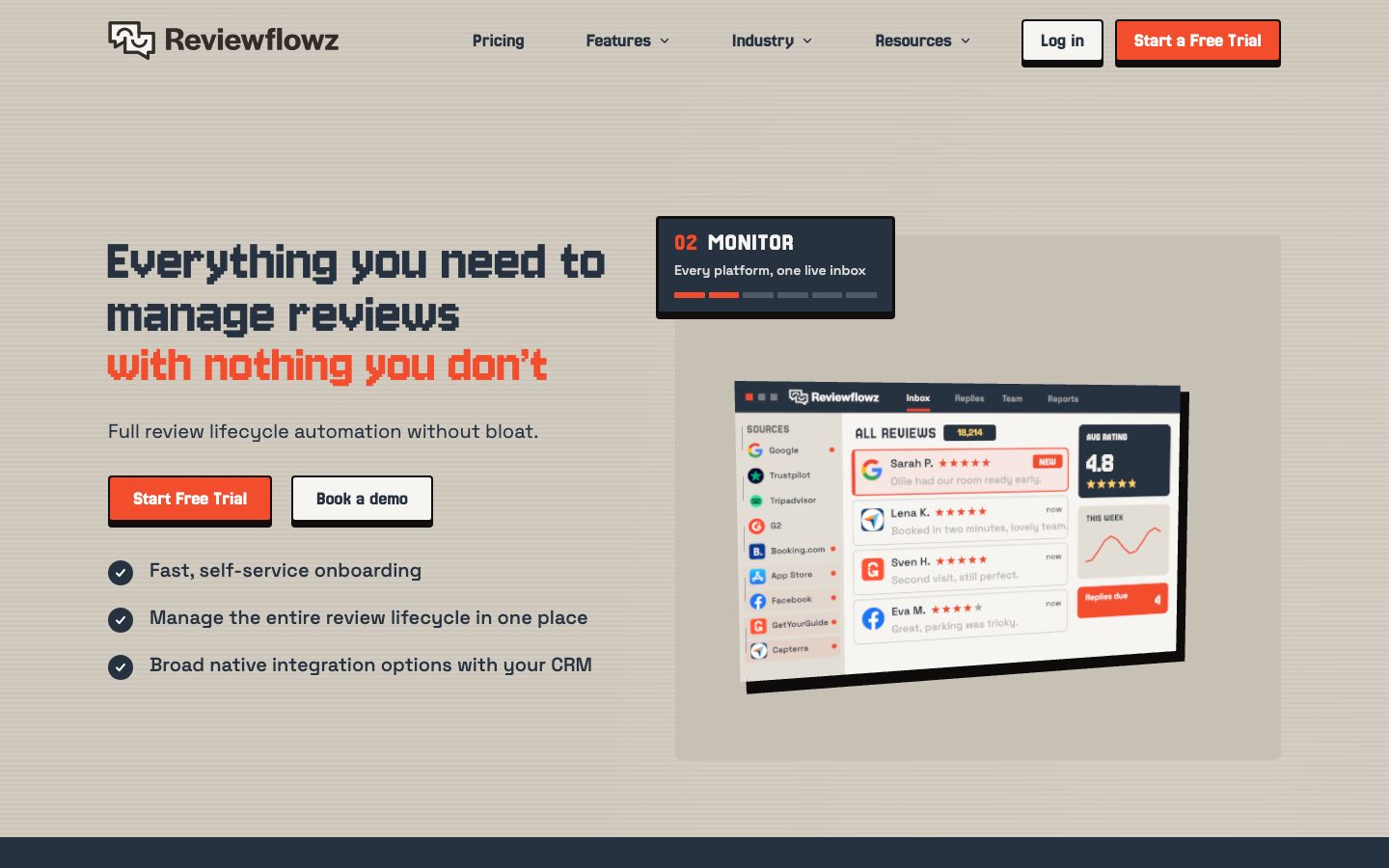
Three methods run side by side so each review lands on the right inspector. Reviewflowz takes the inspectors listed on the completed ISN order, catches an inspector's first name, nickname or misspelling inside the review itself, and hands each inspector a personal link and QR code for the walk-through.

So a buyer who never caught the inspector's name still counts toward the right person, and a large house that took two inspectors credits both. On Premium, the team leaderboard then ranks your inspectors by the reviews they bring in.
The request goes out when the inspection is marked complete in ISN. The client on the order gets it by email, text or WhatsApp after the delay you choose, with up to three messages, and the sequence stops once the client reviews, clicks or unsubscribes. Our ISN page and the ISN help article cover the setup.

The AI that writes your replies studies the answers you have posted before, so the response to a listing agent's two-star review reads like your own. Rules decide which reviews it answers alone and which it holds for you, and the replies publish on Google and Facebook. Every office's Google, Yelp, Facebook and BBB reviews arrive in a single feed.
Reviewflowz is a small, self-financed team, so it bends to the way a home inspection company works. A review site you need, Redfin for example, is added within two weeks of asking. Integrations go deeper than a checkbox, custom work is on the table, and your questions reach the people who build the product.
There is no notice period: you change plan or cancel in the app whenever you like. Reviewflowz starts from $45 a month for a single location, billed yearly, and the price per location drops as you add offices. A solo inspector can try it free for 14 days without a card.
#2 NiceJob
- Best for: A one-inspector business that bills through QuickBooks and wants requests, follow-ups and a NiceJob reviews page on one monthly plan.
- Pros:
- Texts and emails the request after each job, with up to three follow-ups.
- Inspection companies host their public review pages on NiceJob.
- Starts at $95 a month, with a 14-day trial and no card.
- Cons:
- Its integrations page lists none of Spectora, ISN, HomeGauge or Home Inspector Pro.
- AI reply drafts cover Google only; automatic replies need Pro at $135.
- Its seven connected review sites leave out Yelp.
- G2: 4.8 out of 5 (437 reviews)
- Capterra: 4.9 out of 5 (203 reviews)
- Trustpilot: 3.3 out of 5 (26 reviews)
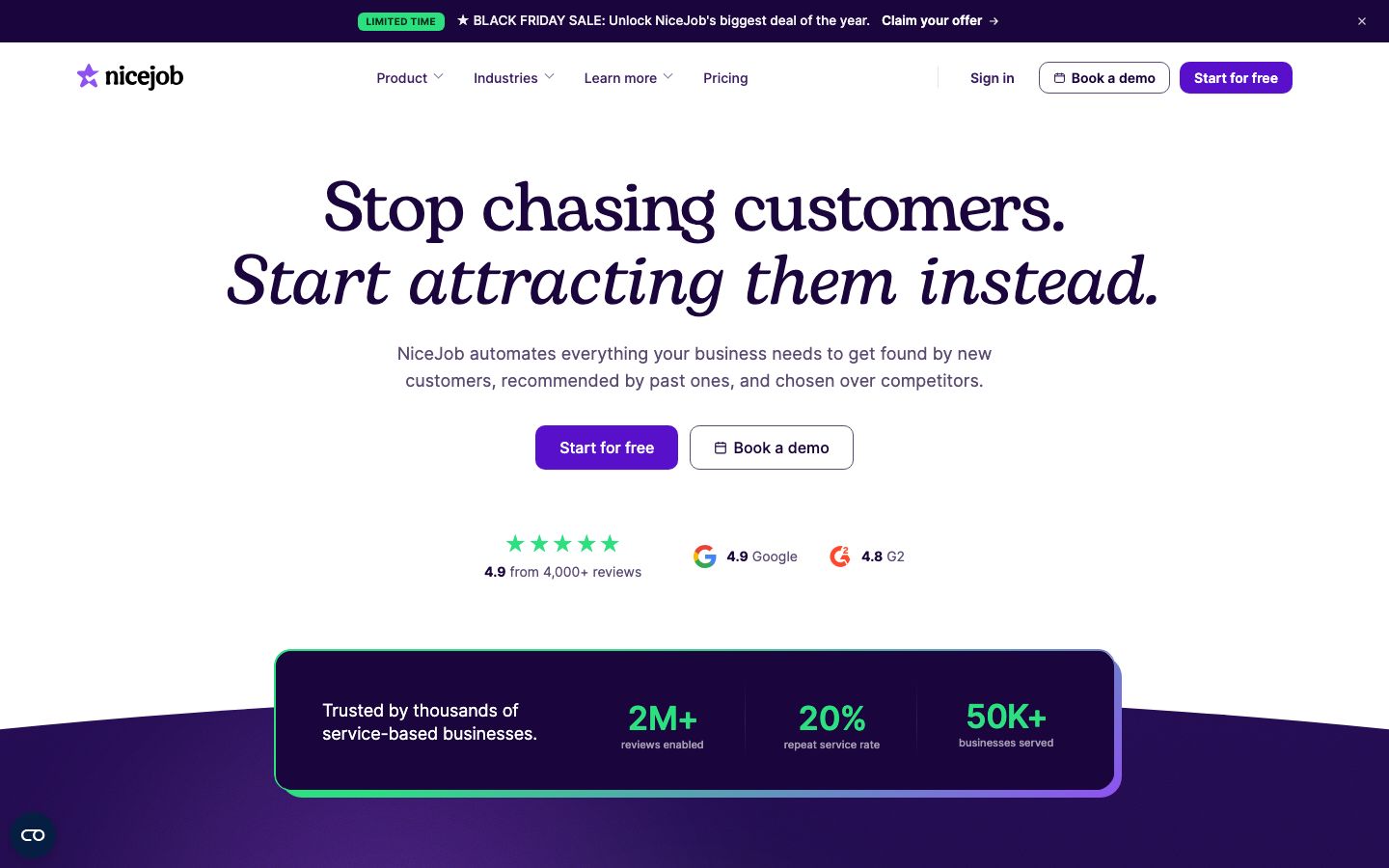
NiceJob is review request software for home service trades, with referral, repeat-business and website add-ons on top. It describes itself as particularly well suited to small, single-location service businesses, which is the shape of most home inspection companies. Here it suits the owner who inspects alone and wants the asking handled for one monthly fee.
Reviewflowz or NiceJob?
An inspector's reviews sit on Yelp and the BBB as well as Google. Yelp is missing from the seven sites NiceJob connects, and its AI drafts answers to Google reviews only. Reviewflowz pulls in an inspector's Google, Yelp, Facebook and BBB reviews side by side and drafts an answer to each.
On the trade's first criterion NiceJob needs a bridge. None of the inspection systems appears among its integrations, so clients reach it through QuickBooks, Zapier or an upload rather than from the published report. Once a client is in, the text and email go out after the delay you set, and up to three follow-ups go to the clients who have not reviewed yet.
Starter costs $95 a month and Pro costs $135 a month, both billed monthly. Each extra office needs its own license. The plan renews every month, and cancelling goes through NiceJob's team rather than a button in the app.
#3 Spectora Reviews
- Best for: A new inspector on Spectora who has no Google Business Profile yet and wants reviews collected inside the software.
- Pros:
- Review prompts sit in the report, the client portal and Spectora's automated emails and texts.
- Companies with several inspectors get feedback on each inspector for evaluation.
- Comes with Spectora, so there is nothing new to buy or connect.
- Cons:
- Spectora Reviews stay on Spectora's pages; Spectora says they are separate from Google.
- The portal's Google button sends no alert and cannot see whether a review was posted.
Spectora Reviews is the review feature of Spectora, the inspection software that states 12,000+ active inspectors. The client rates you in the report, in the client portal or from a link in Spectora's automated emails and texts. The review then shows on your Spectora profile and on its Find a Home Inspector pages.
Spectora's help center says the feature is meant for inspectors who do not have a Google profile, and that you can switch it off and send clients to Google instead. The client portal has a separate button for that: once the report is published, it opens the Google, Yelp or Facebook link you enter. Spectora sees neither the click nor the review, so the task stays open until the client marks it done.
Spectora costs $109 a month, or $1,090 a year. Each additional inspector adds $99 a month, and Spectora signs no contracts.
#4 Blipp Reviews
- Best for: A solo inspector on Spectora, ISN or Home Inspector Pro who wants the request sent automatically and is happy to pay by the request.
- Pros:
- The review integration Spectora documents: client and agent data go across on publish.
- Emails ISN clients when an inspection is completed; Home Inspector Pro Office connects too.
- Requests by text or email, a reviews widget and a mobile app.
- Cons:
- Every plan charges for each request above 10 a month.
- The scheduling software connection needs the $79 Advanced plan and a Spectora plan.
Blipp Reviews is a small review request tool that lists home inspection first among the industries it serves. Inspectors meet it wherever they work: Spectora documents it as its review service, ISN's help center walks through its setup, and Home Inspector Pro has a tutorial for connecting it.
It reaches the trade's first criterion on three of its systems. When you publish an inspection in Spectora, the client and the agent go over to Blipp; when an inspection is completed in ISN, Blipp emails the client. You pick the review sites, Google, Facebook or Yelp among them, set the delivery timing, and answer the feedback from one dashboard.
Basic costs $39 a month and includes 10 requests. Each request beyond that costs $1 on Basic and less on Advanced, which costs $79 a month. Pro at $109 a month adds several users and employee performance reports. Plans run month to month, for six months or for a year.
Ask after your next inspection report
Start a free 14-day trial with no credit card, connect your Google profile and send the first requests after your next report.
#5 HomeGauge TRM
- Best for: An inspector on HomeGauge who wants one timed email with a Google review link and nothing else to pay for.
- Pros:
- Times the email from the report upload, in days, weeks or months.
- Uses a premade Rate Me template, or your own with your Google review link.
- Part of HomeGauge, with nothing to connect.
- Cons:
- A TRM is scheduled after each report upload; a saved template sends nothing alone.
- The premade Rate Me template asks for a rating on HomeGauge, not Google.
TRM, short for Time Release Messaging, is the follow-up email system inside HomeGauge, the report writer that is now a Spectora company. HomeGauge's own newsletter tells inspectors to use it for Google reviews: take the Rate me please template, replace its sign-in field with your Google review link, and decide how long after the upload it goes out.
It meets the trade's first and third criteria by email. The clock starts at the report upload, and the delay is set in days, weeks or months. Each message is scheduled from the Manage TRM link after the upload, because a template on its own schedules nothing.
TRM comes with HomeGauge, which costs $89 a month after a 30-day free trial.
#6 Birdeye
- Best for: An inspection company that wants texting, listings, surveys and reviews from one vendor, bought through sales on a yearly contract.
- Pros:
- Pages for ISN, HomeGauge and Tap Inspect automate review and survey requests.
- Sends one to five reminders, and AI replies can wait for approval.
- Cons:
- Payments are non-cancellable for the term; ending renewal takes 90 days' written notice.
- Adds an 8% Innovation Fee at every renewal.
- Contract and cancelling come up in 55 of 160 negative reviews.
- G2: 4.7 out of 5 (4,327 reviews)
- Capterra: 4.7 out of 5 (712 reviews)
- Trustpilot: 3.5 out of 5 (688 reviews)
Birdeye covers reviews, listings, messaging and social posts, and its customers typically run 10 to 250 locations and buy through a demo and a quote. In 572 positive reviews, ease of use comes up 315 times, with the features close behind.
Reviewflowz or Birdeye?
Birdeye matches a review to an employee by the first and last name written in it. Reviewflowz credits the inspectors on the ISN order, so a buyer who never learned the inspector's name still counts for the right person.
For inspectors, Birdeye's ISN and HomeGauge pages describe a managed data transfer: once the client data comes across, review and survey requests go out automatically after the transaction. Requests go by text or email with a delay and up to five reminders, and the AI drafts replies that can pass through an approval step. The platform holds 21 products in all, from a texting inbox to payments and a chatbot.
Birdeye publishes no prices; a third-party review site puts it at $299 a month per location. Each contract renews for its original term, and stopping a renewal takes 90 days' written notice.
#7 SOCi
- Best for: A franchise brand's head office that buys listings, local pages and social posts for every territory, with reviews in the same contract.
- Pros:
- HomeTeam Inspection Service raised its review volume 63% with SOCi, by SOCi's account.
- Review requests by email and text, plus surveys and AI replies with approval.
- Cons:
- The request triggers it documents come from Yardi and Salesforce.
- Quote only, and an order form cannot be ended for convenience.
- G2: 4.5 out of 5 (5,058 reviews)
- Capterra: 4.5 out of 5 (251 reviews)
- Trustpilot: 4.5 out of 5 (115 reviews)

SOCi is marketing software for brands and franchises with hundreds or thousands of locations: listings, local pages, social posts, ads, surveys and reviews, run from head office. In home inspection its reference is HomeTeam Inspection Service, a franchise system of 1,200 locations. SOCi reports that HomeTeam's review volume rose 63% after it moved reviews and social onto the platform.
Reviewflowz or SOCi?
SOCi's feedback dashboards stop at the account, the group or the location. Reviewflowz credits each review to the inspector on the ISN order, so a franchise office sees which inspector earns its reviews.
On the trade's criteria SOCi works from the head office down. Its review requests go by email and text, the AI drafts replies with an approval step, and surveys sit beside them. The request triggers it documents come from Yardi and Salesforce, and none of them is inspection software.
SOCi sells by quote. Vendr puts its average contract at $22,840 a year across all sizes, and an AWS listing sets a 100-location minimum. The order form renews on its terms and cannot be ended for convenience.
#8 Customer Lobby
- Best for: An inspector who wants postcards, emails and texts to past clients, with a review request after every invoice.
- Pros:
- Follows up every transaction with a review request, synced with your invoice system.
- A mobile app lets the inspector collect a review on site.
- Cons:
- The Reviews plan costs $299 a month plus a $199 activation fee.
- Its pages name HVAC, plumbing and home improvement among its trades, not inspection.
- G2: 4.4 out of 5 (4 reviews)
Customer Lobby is marketing software for home service companies that want more work from past customers, with targeted postcards, emails and texts. Its Reviews plan, sold on its own, asks every customer for a review after the invoice.
It meets the trade's first criterion from the invoice rather than the inspection report: Customer Lobby syncs with 150+ invoicing systems and sends the request to Google, Facebook or another site you choose. Its pages do not name the inspection systems, so check that yours is among them before you sign up.
The Reviews plan is $299 a month with a $199 activation fee. The marketing plans start at $499 a month, and the pricing page states no contract term.