[{"@context":"https://schema.org","@type":"FAQPage","mainEntity":[{"@type":"Question","name":"What healthcare review sites does Fusion integration cover?","acceptedAnswer":{"@type":"Answer","text":"Reviewflowz monitors Google Reviews, Healthgrades, Zocdoc, Vitals, WebMD, RateMDs, Yelp, and 200+ other platforms from your Fusion dashboard. Google Reviews receives priority since it directly impacts local search rankings where patients discover practices. Healthcare-specific sites like Healthgrades and Zocdoc matter because patients research providers there before booking appointments. The Fusion integration automatically tracks reviews across all these platforms, so you never miss patient feedback that could impact your practice reputation. One dashboard shows reviews from every major platform where your patients leave feedback."}},{"@type":"Question","name":"How do you measure review performance with Fusion data?","acceptedAnswer":{"@type":"Answer","text":"Reviewflowz calculates your review conversion rate by dividing total reviews by actual patient encounters from your Fusion EHR system. For example, 120 reviews from 3,000 patient visits equals a 4% conversion rate. This metric is more meaningful than raw review counts because it shows efficiency relative to patient volume. Reports break down conversion rates by individual providers, service types, locations, and time periods using real Fusion encounter data. You can see which doctors generate the most patient feedback per visit and identify improvement opportunities across your practice."}},{"@type":"Question","name":"How are review requests sent from Fusion patient data?","acceptedAnswer":{"@type":"Answer","text":"When you complete a visit, finish treatment, or process discharge in Fusion, Reviewflowz automatically detects this trigger and sends a review request to that patient via email, SMS, or WhatsApp. The integration pulls patient contact information directly from Fusion records and sends personalized requests within minutes of the completed encounter. You configure the trigger event once during setup, then every patient automatically receives a request when that action occurs in your EHR. Email requests cost $5 per 1,000 sent, SMS costs $5 per 100 messages."}},{"@type":"Question","name":"Can you send WhatsApp review requests to Fusion patients?","acceptedAnswer":{"@type":"Answer","text":"Yes, Reviewflowz sends WhatsApp review requests automatically triggered by completed visits, treatments, or discharges in your Fusion system. WhatsApp achieves nearly 98% open rates compared to roughly 20% for email, making it highly effective for patient communication. The same Fusion triggers that send email or SMS requests also work with WhatsApp. This option is particularly valuable for practices serving communities where WhatsApp is the preferred communication method. Pricing varies by country, and setup requires the same simple Fusion integration process as other messaging channels."}},{"@type":"Question","name":"Can you track which providers get the most reviews from Fusion?","acceptedAnswer":{"@type":"Answer","text":"Reviewflowz automatically tracks review performance by provider using your Fusion appointment and encounter data. When patients leave reviews, the system attributes them to the correct doctor, nurse, or provider based on who handled their care in Fusion. This attribution happens automatically without requiring patients to mention provider names, which often triggers Google's review removal algorithms. Your dashboard shows review counts, average ratings, and conversion rates for each provider. You can generate reports filtered by individual providers, departments, or service types to identify your top-performing staff members."}},{"@type":"Question","name":"How long does Fusion integration setup take?","acceptedAnswer":{"@type":"Answer","text":"Fusion integration with Reviewflowz takes under 15 minutes with no developer or IT department required. You connect your Fusion system to Reviewflowz, select your preferred trigger events like completed visits or processed discharges, choose your messaging channel, and you're ready to send review requests. The first automated request goes out the same day once a patient encounter is completed in Fusion. The setup process requires basic administrative access to both systems but no technical expertise or custom programming."}},{"@type":"Question","name":"What do Fusion review requests cost?","acceptedAnswer":{"@type":"Answer","text":"Reviewflowz charges $5 per 1,000 email requests and $5 per 100 SMS messages on a pay-as-you-go basis with no monthly minimums or long-term contracts. For most healthcare practices, this works out to pennies per review collected from Fusion patient encounters. WhatsApp pricing varies by country but follows the same pay-per-use model. You only pay for messages actually sent to patients, not for software licenses or monthly platform fees. This pricing structure scales naturally with your patient volume and review request frequency."}}]},{"@context":"https://schema.org","@type":"BreadcrumbList","itemListElement":[{"@type":"ListItem","position":1,"name":"Home","item":"https://www.reviewflowz.com/"},{"@type":"ListItem","position":2,"name":"Healthcare","item":"https://www.reviewflowz.com/industry/healthcare"},{"@type":"ListItem","position":3,"name":"Fusion","item":"https://www.reviewflowz.com/for/fusion"}]}]
Connect Reviewflowz to Fusion and turn every completed visit into a review request. Your EHR data becomes automated patient feedback across all platforms.
Automated review requests triggered by Fusion visits
Reviewflowz automatically sends review requests when you mark visits complete, finish treatments, or process discharges in Fusion. The integration monitors your EHR workflow and triggers personalized requests via email, SMS, or WhatsApp within minutes of patient checkout. No manual lists, no forgotten follow-ups, no staff training required. Your existing Fusion workflow continues unchanged while every single patient interaction becomes a review opportunity. Setup takes under 15 minutes with no developer needed. Whether you see 50 patients weekly or 500, every completed encounter automatically generates a review request at the optimal moment when the experience is fresh in their memory.
Identify your best patients for referrals and testimonials
When patients leave 5-star reviews, that rating data flows directly into their Fusion patient record as a custom field. Your front desk and clinical staff instantly see which patients are your biggest advocates during check-in, appointments, and follow-ups. This visibility lets you strategically ask promoters for referrals, video testimonials, case studies, or online testimonials while they're in your office. Most practices never know which patients love them most until it's too late. With this Fusion integration, every 5-star reviewer gets tagged in your EHR so you can leverage their satisfaction for practice growth during their next visit.
Provider review attribution without patient name-dropping
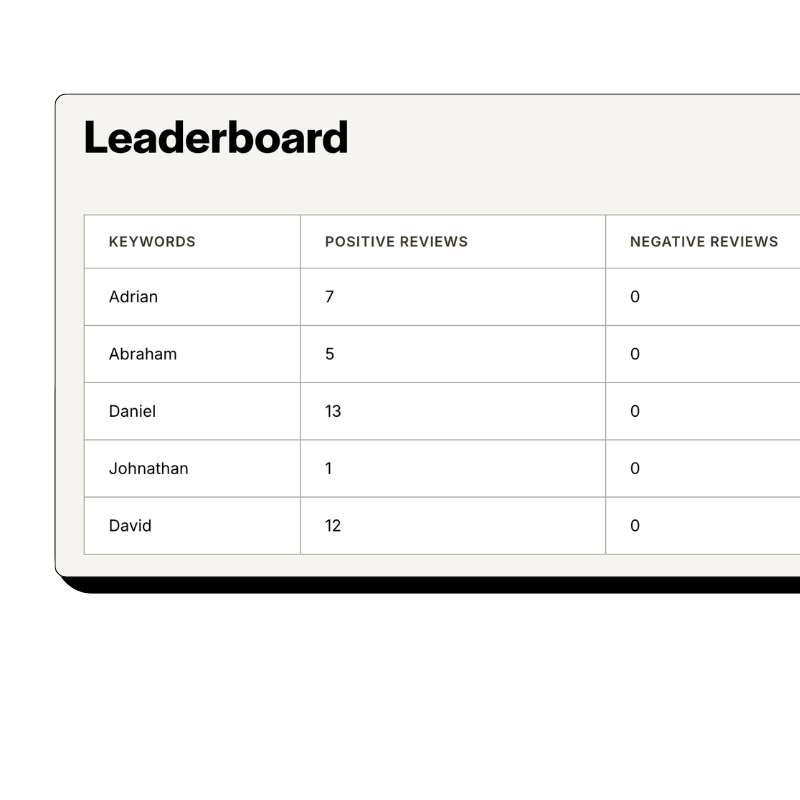
Reviewflowz automatically attributes reviews to specific doctors, nurses, or providers using your Fusion appointment data, eliminating the need for patients to mention staff names. This approach prevents Google from flagging reviews that contain provider names, which happens frequently in healthcare. When Dr. Smith completes a patient visit in Fusion, any resulting review automatically gets credited to Dr. Smith in your reporting dashboard. You get accurate per-provider performance metrics without asking patients to remember names, spell them correctly, or risk review removal. Your custom reports show exactly which providers generate the most reviews and highest ratings based on actual EHR encounter data.
How serious are you about your reviews?
Get up and running in minutes • Upgrade when you're ready
Track review conversion rates from Fusion patient volume
Your practice sees 2,000 patients monthly but only collects 40 reviews, giving you a 2% conversion rate that needs improvement. Because Reviewflowz connects to Fusion, it automatically calculates your review collection percentage using real patient encounter data, not guesswork. You see exactly how many visits, procedures, discharges, or follow-ups you completed versus reviews received. This metric reveals performance gaps other systems miss. The average conversion rate across Reviewflowz customers is 7.5%, so you know where you stand. Monthly reports break down conversion rates by provider, location, service type, and time period, showing you which parts of your practice excel at generating patient feedback and which need attention.
AI-generated replies to reviews across all platforms
Reviewflowz uses AI to reply to every patient review across Google, Healthgrades, Zocdoc, Vitals, and 200+ other platforms in your practice's voice. The system analyzes your previous responses and creates replies that sound like your staff wrote them, not a generic template. Positive reviews get thank-you responses that reinforce your brand messaging. Negative reviews receive professional, empathetic replies that encourage patients to contact your office directly. You can approve each response manually or set them to publish automatically. Consistent review responses improve your Google local search rankings while showing potential patients that you actively engage with feedback. No provider has time to monitor dozens of review sites daily, but AI handles this critical reputation management task around the clock.
FAQs
Everything you need to know about the product and billing. Can’t find the answer you’re looking for? Please chat to our team.
What healthcare review sites does Fusion integration cover?
Reviewflowz monitors Google Reviews, Healthgrades, Zocdoc, Vitals, WebMD, RateMDs, Yelp, and 200+ other platforms from your Fusion dashboard. Google Reviews receives priority since it directly impacts local search rankings where patients discover practices. Healthcare-specific sites like Healthgrades and Zocdoc matter because patients research providers there before booking appointments. The Fusion integration automatically tracks reviews across all these platforms, so you never miss patient feedback that could impact your practice reputation. One dashboard shows reviews from every major platform where your patients leave feedback.
How do you measure review performance with Fusion data?
Reviewflowz calculates your review conversion rate by dividing total reviews by actual patient encounters from your Fusion EHR system. For example, 120 reviews from 3,000 patient visits equals a 4% conversion rate. This metric is more meaningful than raw review counts because it shows efficiency relative to patient volume. Reports break down conversion rates by individual providers, service types, locations, and time periods using real Fusion encounter data. You can see which doctors generate the most patient feedback per visit and identify improvement opportunities across your practice.
How are review requests sent from Fusion patient data?
When you complete a visit, finish treatment, or process discharge in Fusion, Reviewflowz automatically detects this trigger and sends a review request to that patient via email, SMS, or WhatsApp. The integration pulls patient contact information directly from Fusion records and sends personalized requests within minutes of the completed encounter. You configure the trigger event once during setup, then every patient automatically receives a request when that action occurs in your EHR. Email requests cost $5 per 1,000 sent, SMS costs $5 per 100 messages.
Can you send WhatsApp review requests to Fusion patients?
Yes, Reviewflowz sends WhatsApp review requests automatically triggered by completed visits, treatments, or discharges in your Fusion system. WhatsApp achieves nearly 98% open rates compared to roughly 20% for email, making it highly effective for patient communication. The same Fusion triggers that send email or SMS requests also work with WhatsApp. This option is particularly valuable for practices serving communities where WhatsApp is the preferred communication method. Pricing varies by country, and setup requires the same simple Fusion integration process as other messaging channels.
Can you track which providers get the most reviews from Fusion?
Reviewflowz automatically tracks review performance by provider using your Fusion appointment and encounter data. When patients leave reviews, the system attributes them to the correct doctor, nurse, or provider based on who handled their care in Fusion. This attribution happens automatically without requiring patients to mention provider names, which often triggers Google's review removal algorithms. Your dashboard shows review counts, average ratings, and conversion rates for each provider. You can generate reports filtered by individual providers, departments, or service types to identify your top-performing staff members.
How long does Fusion integration setup take?
Fusion integration with Reviewflowz takes under 15 minutes with no developer or IT department required. You connect your Fusion system to Reviewflowz, select your preferred trigger events like completed visits or processed discharges, choose your messaging channel, and you're ready to send review requests. The first automated request goes out the same day once a patient encounter is completed in Fusion. The setup process requires basic administrative access to both systems but no technical expertise or custom programming.
What do Fusion review requests cost?
Reviewflowz charges $5 per 1,000 email requests and $5 per 100 SMS messages on a pay-as-you-go basis with no monthly minimums or long-term contracts. For most healthcare practices, this works out to pennies per review collected from Fusion patient encounters. WhatsApp pricing varies by country but follows the same pay-per-use model. You only pay for messages actually sent to patients, not for software licenses or monthly platform fees. This pricing structure scales naturally with your patient volume and review request frequency.