[{"@context":"https://schema.org","@type":"FAQPage","mainEntity":[{"@type":"Question","name":"Which review platforms should Easyly users prioritize?","acceptedAnswer":{"@type":"Answer","text":"Google Reviews should be your top priority since according to the BrightLocal Local Consumer Review Survey, 2024, 87% of consumers use Google to evaluate local businesses. For service-based businesses using Easyly, also focus on Facebook (where clients often discover you), Yelp (especially for local services), and Trustpilot (for B2B credibility). Industry-specific platforms matter too depending on your business type. Rather than choosing just a few platforms, Reviewflowz monitors all 200+ review sites from one dashboard, so you never miss feedback regardless of where clients choose to leave it."}},{"@type":"Question","name":"How do I measure review success with my Easyly business?","acceptedAnswer":{"@type":"Answer","text":"Track your review conversion rate, not just total review count. Reviewflowz calculates this by dividing reviews collected by jobs completed in Easyly. For example, 30 reviews from 200 completed jobs equals a 15% conversion rate, which beats a competitor with 100 reviews from 5,000 jobs (2% rate). The average Reviewflowz customer achieves a 7.5% conversion rate. You can filter performance by individual staff members, project types, or time periods to identify what drives the highest response rates and optimize your service delivery accordingly."}},{"@type":"Question","name":"How does automated review requesting work with Easyly?","acceptedAnswer":{"@type":"Answer","text":"When you mark a job complete, deliver a project, or record a payment in Easyly, Reviewflowz automatically triggers a review request to that client. The system uses contact information already stored in your Easyly customer records to send requests via email, SMS, or WhatsApp. You configure this once by selecting your preferred trigger event and communication channel. After setup, every future client automatically receives a review request without any manual work. The trigger happens in real-time, so requests go out immediately when you update job status in Easyly."}},{"@type":"Question","name":"Can I send review requests via WhatsApp from Easyly?","acceptedAnswer":{"@type":"Answer","text":"Yes, WhatsApp integration works directly with your Easyly customer data. When jobs complete or invoices get paid, Reviewflowz automatically sends WhatsApp review requests using phone numbers stored in customer records. WhatsApp achieves roughly 98% open rates compared to 20% for email, making it especially effective for review collection. This is particularly valuable if your clients prefer WhatsApp communication or if you serve markets where WhatsApp is the primary messaging platform. Pricing varies by country but follows the same pay-as-you-go model as email and SMS requests."}},{"@type":"Question","name":"How do I track which staff get the best reviews in Easyly?","acceptedAnswer":{"@type":"Answer","text":"Reviewflowz automatically attributes reviews to team members based on who handled each job in Easyly, without clients needing to mention names. When a review comes in, the system knows which staff member was assigned to that project and adds it to their performance record. You can see individual conversion rates, average ratings, and review trends for each team member. This data helps identify top performers and training opportunities. The approach also avoids Google's review filters since reviews mentioning specific employee names are more likely to get flagged and removed."}},{"@type":"Question","name":"How long does Reviewflowz setup take with Easyly?","acceptedAnswer":{"@type":"Answer","text":"Setup takes under 15 minutes with no developer or IT support needed. Connect your Easyly account, select your trigger event (job completion, project delivery, or invoice payment), choose your communication channel (email, SMS, or WhatsApp), and you're live. Your first automated review request goes out the same day when the next job completes in Easyly. The integration uses your existing customer data and workflows, so there's no disruption to your current processes or need to train staff on new procedures."}},{"@type":"Question","name":"What do Easyly review requests cost with Reviewflowz?","acceptedAnswer":{"@type":"Answer","text":"Email requests cost $5 per 1,000 emails, SMS costs $5 per 100 messages, and WhatsApp pricing varies by country. All pricing is pay-as-you-go with no monthly minimums or contracts. For most Easyly users, this works out to just pennies per review collected. If you complete 100 jobs monthly and achieve the average 7.5% conversion rate, you'd collect about 7-8 reviews. At email rates, that costs under $1 monthly. The cost per review decreases as your volume increases, making it cost-effective even for smaller service businesses."}}]},{"@context":"https://schema.org","@type":"BreadcrumbList","itemListElement":[{"@type":"ListItem","position":1,"name":"Home","item":"https://www.reviewflowz.com/"},{"@type":"ListItem","position":2,"name":"Easyly","item":"https://www.reviewflowz.com/for/easyly"}]}]
Reviewflowz automatically sends review requests to clients when you mark jobs complete, deliver projects, or record payments in Easyly. The system uses client contact information already stored in your Easyly account to send requests via email ($5 per 1,000), SMS ($5 per 100), or WhatsApp. You configure the trigger once and every future client gets asked automatically. No manual work, no remembering to follow up, no missed opportunities. Your Easyly workflow stays exactly the same, but now every completed job becomes a potential 5-star review without any extra effort from your team.
Identify your best clients for referrals and testimonials
When clients leave positive reviews, that information flows directly back into their Easyly customer record. You can instantly see which clients are your biggest advocates across Google, Yelp, Facebook, and 200+ other platforms. Use this data to ask your happiest customers for referrals, case studies, or testimonials that drive new business. Instead of guessing who might give you a referral, you have concrete proof of which clients already recommend you publicly. The integration works both ways, so negative feedback also appears in customer records, helping you identify service issues before they escalate.
Track staff performance without mentioning names in reviews
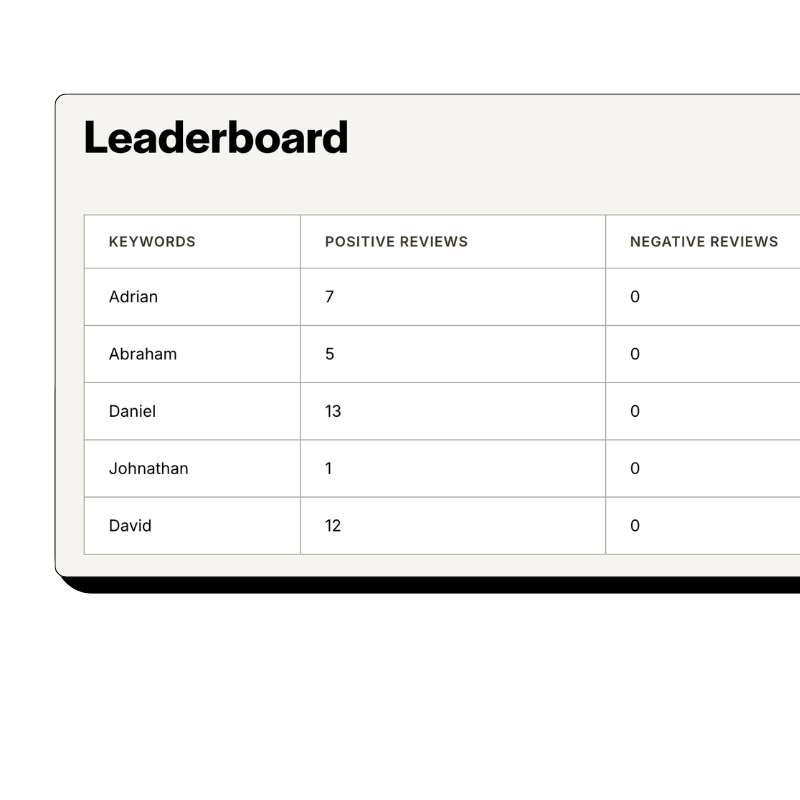
Reviewflowz automatically attributes reviews to the right team member using your existing Easyly project assignments. When a review comes in, the system knows which staff member handled that job without the customer needing to mention anyone by name. This approach keeps reviews sounding natural while avoiding Google's review filters, which often flag reviews that specifically name employees. You get detailed per-person performance data showing review conversion rates, average ratings, and trends over time. Your team members can see their own metrics, creating healthy competition to deliver better service and collect more positive feedback.
How serious are you about your reviews?
Get up and running in minutes • Upgrade when you're ready
Calculate true review conversion rates from Easyly data
Most businesses only track total review count, but that number means nothing without knowing how many jobs you actually completed. Reviewflowz connects to your Easyly data to calculate your real conversion rate: reviews collected divided by jobs completed. A business with 50 reviews from 100 jobs (50% conversion) outperforms one with 200 reviews from 5,000 jobs (4% conversion). The average Reviewflowz customer achieves a 7.5% review conversion rate. You can filter reports by staff member, time period, or project type to identify what drives the highest response rates and replicate those conditions across your business operations.
AI auto-replies to reviews across all platforms
Reviewflowz generates personalized responses to every review across Google, Yelp, Facebook, and 200+ other platforms using AI trained on your business information. The system responds in your brand voice to both positive and negative feedback, helping boost local search rankings and demonstrate customer service to future prospects. You can review and approve responses manually or set them to publish automatically for efficiency. Replying to reviews consistently shows Google and potential customers that you actively manage your online reputation. The AI learns from your approved responses to improve future replies and maintain consistency across all platforms.
FAQs
Everything you need to know about the product and billing. Can’t find the answer you’re looking for? Please chat to our team.
Which review platforms should Easyly users prioritize?
Google Reviews should be your top priority since according to the BrightLocal Local Consumer Review Survey, 2024, 87% of consumers use Google to evaluate local businesses. For service-based businesses using Easyly, also focus on Facebook (where clients often discover you), Yelp (especially for local services), and Trustpilot (for B2B credibility). Industry-specific platforms matter too depending on your business type. Rather than choosing just a few platforms, Reviewflowz monitors all 200+ review sites from one dashboard, so you never miss feedback regardless of where clients choose to leave it.
How do I measure review success with my Easyly business?
Track your review conversion rate, not just total review count. Reviewflowz calculates this by dividing reviews collected by jobs completed in Easyly. For example, 30 reviews from 200 completed jobs equals a 15% conversion rate, which beats a competitor with 100 reviews from 5,000 jobs (2% rate). The average Reviewflowz customer achieves a 7.5% conversion rate. You can filter performance by individual staff members, project types, or time periods to identify what drives the highest response rates and optimize your service delivery accordingly.
How does automated review requesting work with Easyly?
When you mark a job complete, deliver a project, or record a payment in Easyly, Reviewflowz automatically triggers a review request to that client. The system uses contact information already stored in your Easyly customer records to send requests via email, SMS, or WhatsApp. You configure this once by selecting your preferred trigger event and communication channel. After setup, every future client automatically receives a review request without any manual work. The trigger happens in real-time, so requests go out immediately when you update job status in Easyly.
Can I send review requests via WhatsApp from Easyly?
Yes, WhatsApp integration works directly with your Easyly customer data. When jobs complete or invoices get paid, Reviewflowz automatically sends WhatsApp review requests using phone numbers stored in customer records. WhatsApp achieves roughly 98% open rates compared to 20% for email, making it especially effective for review collection. This is particularly valuable if your clients prefer WhatsApp communication or if you serve markets where WhatsApp is the primary messaging platform. Pricing varies by country but follows the same pay-as-you-go model as email and SMS requests.
How do I track which staff get the best reviews in Easyly?
Reviewflowz automatically attributes reviews to team members based on who handled each job in Easyly, without clients needing to mention names. When a review comes in, the system knows which staff member was assigned to that project and adds it to their performance record. You can see individual conversion rates, average ratings, and review trends for each team member. This data helps identify top performers and training opportunities. The approach also avoids Google's review filters since reviews mentioning specific employee names are more likely to get flagged and removed.
How long does Reviewflowz setup take with Easyly?
Setup takes under 15 minutes with no developer or IT support needed. Connect your Easyly account, select your trigger event (job completion, project delivery, or invoice payment), choose your communication channel (email, SMS, or WhatsApp), and you're live. Your first automated review request goes out the same day when the next job completes in Easyly. The integration uses your existing customer data and workflows, so there's no disruption to your current processes or need to train staff on new procedures.
What do Easyly review requests cost with Reviewflowz?
Email requests cost $5 per 1,000 emails, SMS costs $5 per 100 messages, and WhatsApp pricing varies by country. All pricing is pay-as-you-go with no monthly minimums or contracts. For most Easyly users, this works out to just pennies per review collected. If you complete 100 jobs monthly and achieve the average 7.5% conversion rate, you'd collect about 7-8 reviews. At email rates, that costs under $1 monthly. The cost per review decreases as your volume increases, making it cost-effective even for smaller service businesses.