[{"@context":"https://schema.org","@type":"FAQPage","mainEntity":[{"@type":"Question","name":"What review platforms matter most for AllMeds practices?","acceptedAnswer":{"@type":"Answer","text":"Google Reviews takes priority since it directly impacts local search visibility when patients search for healthcare providers, but medical-specific platforms like Healthgrades, Vitals, Zocdoc, and WebMD carry significant weight in healthcare decision-making. These specialized review sites build domain authority within the medical industry and appear prominently when patients research providers and treatment options. Patients often check multiple review sources before booking appointments, making it crucial to maintain strong ratings across both general and healthcare-specific platforms. Reviewflowz monitors all these platforms plus 200+ others from one dashboard, letting AllMeds practices track their complete online reputation without managing multiple review sites separately."}},{"@type":"Question","name":"How do you measure AllMeds review performance effectively?","acceptedAnswer":{"@type":"Answer","text":"Review conversion rate is the key metric: total reviews divided by total patient encounters from AllMeds. This reveals actual performance since raw review counts mean nothing without context. A practice with 60 reviews from 400 patients achieves 15% conversion while one with 150 reviews from 3,000 patients only reaches 5% conversion. The first significantly outperforms despite fewer total reviews. Reviewflowz automatically calculates this by pulling encounter data directly from AllMeds, eliminating manual counting. You see true performance metrics that let you optimize review collection strategies and benchmark against industry standards rather than focusing on meaningless raw totals."}},{"@type":"Question","name":"How do AllMeds review requests actually get triggered?","acceptedAnswer":{"@type":"Answer","text":"Review requests trigger automatically when you mark visits complete, discharge patients, or finish follow-ups in AllMeds. Reviewflowz monitors these specific workflow events and immediately sends review requests through your chosen channel: email, SMS, or WhatsApp. You configure the trigger events and communication preferences once during setup, then every qualifying patient interaction generates an automatic review request. The system integrates directly with AllMeds workflow states, so your existing clinical processes drive review collection without additional steps. No manual sending, daily management, or separate systems required. Your standard patient care workflow automatically becomes your review generation system."}},{"@type":"Question","name":"Can AllMeds practices use WhatsApp for review requests?","acceptedAnswer":{"@type":"Answer","text":"Yes, Reviewflowz sends review requests via WhatsApp with approximately 98% open rates compared to 20% for email. WhatsApp requests trigger automatically from AllMeds workflow events like completed visits or patient discharges, just like email and SMS options. The higher open rates often translate to better review conversion, especially for practices serving patients who prefer WhatsApp communication. Pricing varies by country, but the improved response rates frequently offset the additional cost. You select WhatsApp as your preferred communication channel during setup, and all automatic review requests route through WhatsApp instead of email or SMS based on your AllMeds trigger events."}},{"@type":"Question","name":"How do you track which AllMeds providers get the best reviews?","acceptedAnswer":{"@type":"Answer","text":"Reviewflowz automatically attributes reviews to specific providers by connecting to AllMeds encounter data without requiring patients to mention names in their reviews. The system knows which physician, nurse, or specialist handled each patient visit from your AllMeds records. When reviews arrive, they automatically connect to the correct provider based on the original encounter data. This approach avoids Google's tendency to flag reviews that specifically mention healthcare staff while still generating detailed performance insights. You get accurate provider-level review metrics, conversion rates, and patient satisfaction data without asking patients to name-drop staff members or risk review removal."}},{"@type":"Question","name":"How long does AllMeds integration with Reviewflowz take?","acceptedAnswer":{"@type":"Answer","text":"AllMeds integration takes under 15 minutes with no developer or IT support required. You connect your AllMeds system, select trigger events like completed visits or discharged patients, choose your communication channel, and you're live immediately. Your first automatic review request sends the same day you complete setup. The integration reads directly from AllMeds workflow states, so completed patient encounters immediately trigger review requests without additional configuration. No complex technical implementation, waiting periods, or ongoing maintenance needed. Your review collection system becomes active within minutes of connecting AllMeds to Reviewflowz."}},{"@type":"Question","name":"What do AllMeds review requests cost through Reviewflowz?","acceptedAnswer":{"@type":"Answer","text":"Reviewflowz charges $5 per 1,000 email review requests and $5 per 100 SMS requests on a pay-as-you-go basis with no monthly minimums or contracts. WhatsApp pricing varies by country but often delivers better conversion rates. For most AllMeds practices, this translates to just pennies per review collected. A practice sending 200 email requests monthly pays $1, while 200 SMS requests cost $10. With Reviewflowz customers averaging 7.5% conversion rates, your cost per actual review collected becomes very low. You only pay for requests actually sent based on your AllMeds patient volume, making it cost-effective for practices of any size."}}]},{"@context":"https://schema.org","@type":"BreadcrumbList","itemListElement":[{"@type":"ListItem","position":1,"name":"Home","item":"https://www.reviewflowz.com/"},{"@type":"ListItem","position":2,"name":"AllMeds","item":"https://www.reviewflowz.com/for/allmeds"}]}]
Automatically collect patient reviews from every AllMeds encounter while tracking which providers generate the most positive feedback and highest conversion rates.
How to automatically send review requests from AllMeds
Reviewflowz triggers review requests automatically when you complete visits, discharge patients, or finish follow-ups in AllMeds. Configure your trigger once and every patient gets asked for a review via email, SMS, or WhatsApp without any manual intervention. The system reads directly from your AllMeds workflow, so completed appointments immediately generate review requests. No daily management, no forgotten patients, no missed opportunities. Your front desk staff focuses on patient care while review collection runs automatically in the background. With Reviewflowz customers averaging a 7.5% review conversion rate, most practices see significant review growth within the first month of connecting their AllMeds system.
How to identify your best patients from AllMeds data
When patients leave 5-star reviews, that rating automatically syncs back to their AllMeds patient record, flagging your biggest promoters. Your clinical team sees exactly which patients are advocates during appointments and can ask these satisfied patients for referrals, video testimonials, or case studies. Instead of guessing who might recommend your practice, you know definitively which patients already have. This creates targeted opportunities for growth since happy patients referred by other happy patients convert at much higher rates than cold leads. Your patient advocacy becomes data-driven rather than intuitive, letting you systematically leverage positive sentiment for practice growth.
Track AllMeds provider reviews without naming staff
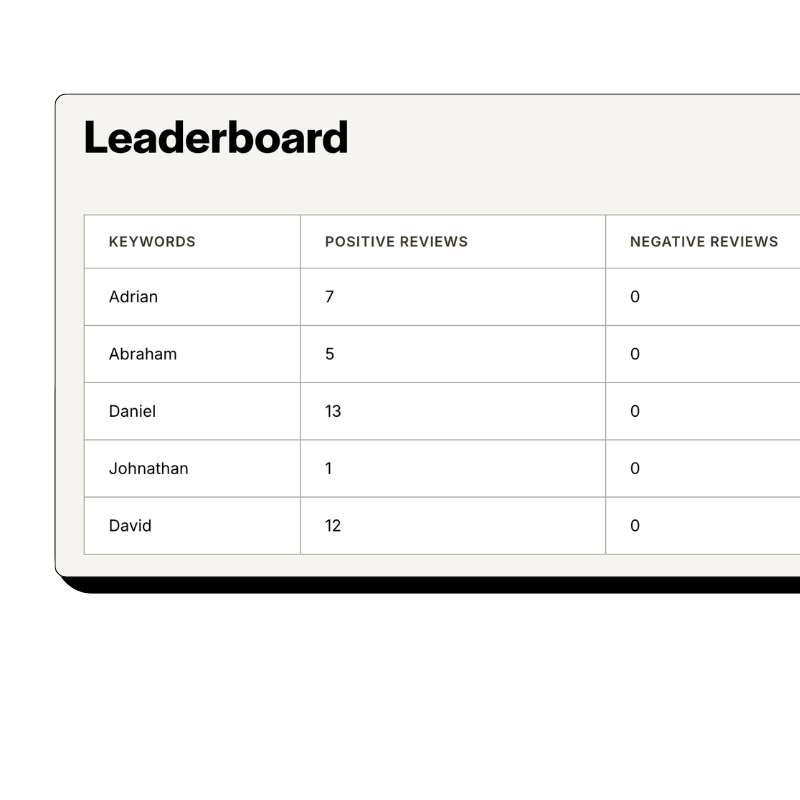
Reviewflowz attributes patient reviews to specific providers automatically using AllMeds encounter data without patients mentioning names. Traditional approaches ask patients to name their physician or nurse, but Google flags those reviews more frequently and patients often forget or misspell names. Since Reviewflowz connects directly to AllMeds, it already knows which provider handled each encounter when reviews arrive. Your reviews read naturally, avoid removal by review platforms, and still generate detailed performance data by physician, nurse, or specialist. You get accurate staff attribution while maintaining authentic review content that platforms trust and prospective patients find genuine.
How serious are you about your reviews?
Get up and running in minutes • Upgrade when you're ready
How to calculate review conversion rate from AllMeds visits
Review conversion rate divides total reviews by total patient encounters from AllMeds, giving you the performance metric that actually matters. A practice with 80 reviews from 800 patients shows 10% conversion while another with 200 reviews from 5,000 patients only achieves 4% conversion. The first practice performs significantly better despite fewer total reviews. Reviewflowz automatically pulls encounter data from AllMeds to calculate this metric without manual counting. You see real performance: 450 patient visits this month, 62 reviews collected, 13.8% conversion rate. This lets you optimize against meaningful benchmarks rather than celebrating raw numbers that don't reflect your actual review collection effectiveness compared to patient volume.
AI review replies for AllMeds practices
Reviewflowz generates AI-powered replies to every patient review across Google, Healthgrades, Zocdoc, Vitals, and 200+ other platforms in your practice's voice. Review responses boost Google rankings, build trust with prospective patients, and give dissatisfied patients a path back to your practice for resolution. However, physicians managing patient charts and clinical workflows rarely have time to reply to every single review manually. The AI learns your communication style and generates appropriate responses for 5-star praise, constructive feedback, and negative experiences. You can approve responses manually or let them publish automatically, ensuring no review goes unanswered while you focus on patient care through AllMeds.
FAQs
Everything you need to know about the product and billing. Can’t find the answer you’re looking for? Please chat to our team.
What review platforms matter most for AllMeds practices?
Google Reviews takes priority since it directly impacts local search visibility when patients search for healthcare providers, but medical-specific platforms like Healthgrades, Vitals, Zocdoc, and WebMD carry significant weight in healthcare decision-making. These specialized review sites build domain authority within the medical industry and appear prominently when patients research providers and treatment options. Patients often check multiple review sources before booking appointments, making it crucial to maintain strong ratings across both general and healthcare-specific platforms. Reviewflowz monitors all these platforms plus 200+ others from one dashboard, letting AllMeds practices track their complete online reputation without managing multiple review sites separately.
How do you measure AllMeds review performance effectively?
Review conversion rate is the key metric: total reviews divided by total patient encounters from AllMeds. This reveals actual performance since raw review counts mean nothing without context. A practice with 60 reviews from 400 patients achieves 15% conversion while one with 150 reviews from 3,000 patients only reaches 5% conversion. The first significantly outperforms despite fewer total reviews. Reviewflowz automatically calculates this by pulling encounter data directly from AllMeds, eliminating manual counting. You see true performance metrics that let you optimize review collection strategies and benchmark against industry standards rather than focusing on meaningless raw totals.
How do AllMeds review requests actually get triggered?
Review requests trigger automatically when you mark visits complete, discharge patients, or finish follow-ups in AllMeds. Reviewflowz monitors these specific workflow events and immediately sends review requests through your chosen channel: email, SMS, or WhatsApp. You configure the trigger events and communication preferences once during setup, then every qualifying patient interaction generates an automatic review request. The system integrates directly with AllMeds workflow states, so your existing clinical processes drive review collection without additional steps. No manual sending, daily management, or separate systems required. Your standard patient care workflow automatically becomes your review generation system.
Can AllMeds practices use WhatsApp for review requests?
Yes, Reviewflowz sends review requests via WhatsApp with approximately 98% open rates compared to 20% for email. WhatsApp requests trigger automatically from AllMeds workflow events like completed visits or patient discharges, just like email and SMS options. The higher open rates often translate to better review conversion, especially for practices serving patients who prefer WhatsApp communication. Pricing varies by country, but the improved response rates frequently offset the additional cost. You select WhatsApp as your preferred communication channel during setup, and all automatic review requests route through WhatsApp instead of email or SMS based on your AllMeds trigger events.
How do you track which AllMeds providers get the best reviews?
Reviewflowz automatically attributes reviews to specific providers by connecting to AllMeds encounter data without requiring patients to mention names in their reviews. The system knows which physician, nurse, or specialist handled each patient visit from your AllMeds records. When reviews arrive, they automatically connect to the correct provider based on the original encounter data. This approach avoids Google's tendency to flag reviews that specifically mention healthcare staff while still generating detailed performance insights. You get accurate provider-level review metrics, conversion rates, and patient satisfaction data without asking patients to name-drop staff members or risk review removal.
How long does AllMeds integration with Reviewflowz take?
AllMeds integration takes under 15 minutes with no developer or IT support required. You connect your AllMeds system, select trigger events like completed visits or discharged patients, choose your communication channel, and you're live immediately. Your first automatic review request sends the same day you complete setup. The integration reads directly from AllMeds workflow states, so completed patient encounters immediately trigger review requests without additional configuration. No complex technical implementation, waiting periods, or ongoing maintenance needed. Your review collection system becomes active within minutes of connecting AllMeds to Reviewflowz.
What do AllMeds review requests cost through Reviewflowz?
Reviewflowz charges $5 per 1,000 email review requests and $5 per 100 SMS requests on a pay-as-you-go basis with no monthly minimums or contracts. WhatsApp pricing varies by country but often delivers better conversion rates. For most AllMeds practices, this translates to just pennies per review collected. A practice sending 200 email requests monthly pays $1, while 200 SMS requests cost $10. With Reviewflowz customers averaging 7.5% conversion rates, your cost per actual review collected becomes very low. You only pay for requests actually sent based on your AllMeds patient volume, making it cost-effective for practices of any size.